Feature
Building energy and daylight
Energy simulation, daylight, comfort.
Use this add-on:
Overview
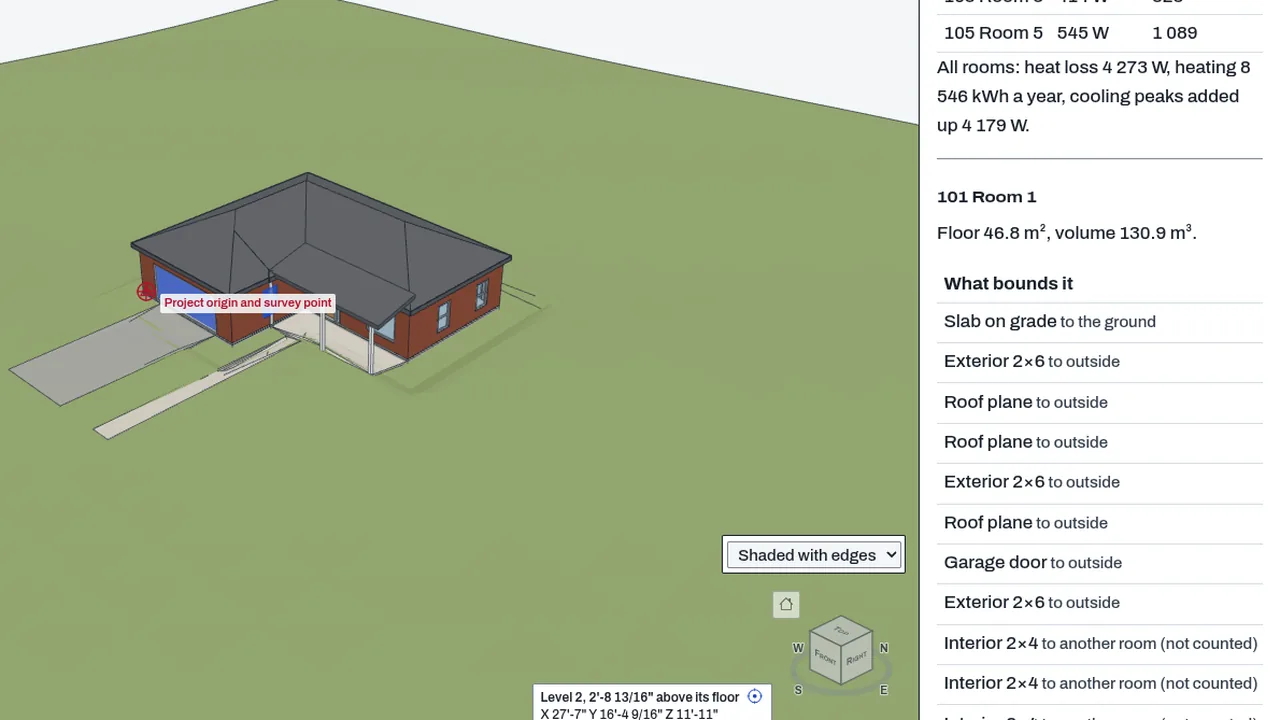
Building energy and daylight is BimCraft's set of early-design analyses for each room: a steady-state heating and cooling load, a degree-day heating estimate for a year, the average daylight factor, and an EnergyPlus input file that can be run in EnergyPlus. They are design aids and a second opinion, not compliance calculations. Today the tools are part of BimCraft's core, in the Daylight tab and the Check with EnergyPlus pane.
Who it’s for
- Building services and energy engineers: a quick heat loss and cooling peak for each room, checked against EnergyPlus.
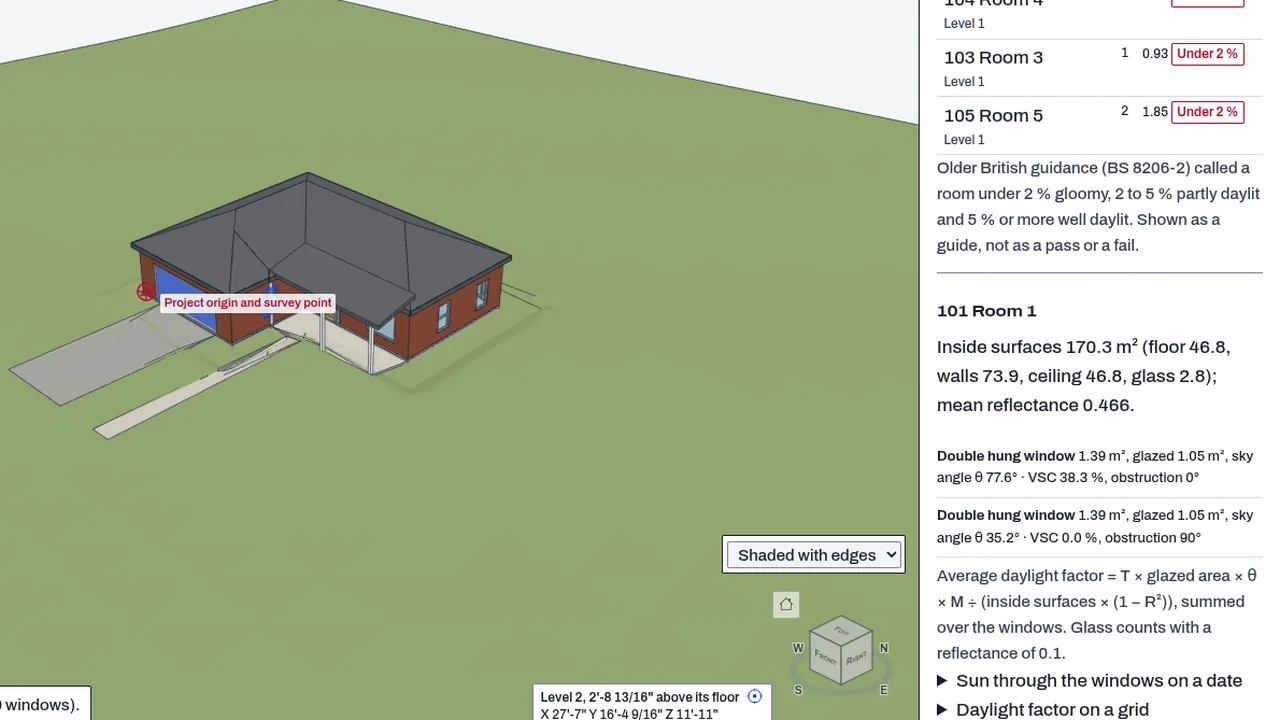
- Architects in early design: the daylight factor of each room from its windows and surfaces, with the sky angle measured in the model.
- Energy assessors who need an EnergyPlus file to run in their own EnergyPlus install.
What you can do
- Work out each room's heat loss in winter, its heating over a year from degree-days (read from a CSV), and its cooling peak in summer, under Heating and cooling loads in the Daylight tab.
- Set the inside and outside temperatures, air changes, lighting, equipment and people per room in the inputs.
- Use each element's own thermal transmittance, a U-value from its material layers, or a typical default that is labelled as a default, and write a U-value into an element.
- Read the average daylight factor of each room, with the sky angle measured in the model.
- Save the model as an EnergyPlus file in the Check with EnergyPlus pane, for design days or for a year with an EPW weather file.
- Run EnergyPlus from the pane when you host its build at an https address, a path on this site, or localhost, and compare its design loads with the quick aid room by room.
Methods and standards
Heat loss uses a steady-state simple method in the style of EN 12831: U times area times the temperature difference, plus ventilation at 0.335 Wh/m³K times air changes times volume. The annual heating figure uses degree-days. The cooling peak adds the peak solar gain on one date, internal gains, and fabric and ventilation loss. The daylight factor uses the average daylight factor formula (BRE 209, BS 8206-2 and CIBSE LG10, as the source cites them), with the sky angle measured in the model. The quick aid is not the ISO 52016-1 monthly method. EnergyPlus uses its own calculation.
Data and sources
The U-value defaults are typical new-build figures and are labelled as defaults. Material conductivities and the thermal properties for mass come from keyword tables you can change. Temperatures, air changes and gains are yours. Weather files for a year are the ones you bring, under their own licences. The EnergyPlus engine is not part of BimCraft; you host it.
Verification
bin/test-bimcraft.mjs --ops --only energy checks the room loads against a hand-worked case. bin/test-bimcraft.mjs --ops --only idf checks the EnergyPlus file and the readers of its output. bin/test-bimcraft.mjs --extra2 --only daylight checks the daylight factor against known answers. Not yet checked: the EnergyPlus readers have not been proved on the output of a real EnergyPlus run, which is an open step in the session log.
Limits
Design aids, not compliance tools. The quick load aid is steady state. The daylight figure is an early-design estimate, not a daylight simulation, and it is not checked against BS EN 17037 or any code. The cooling peak uses one date. EnergyPlus gains are always on, because no schedules are invented. The in-browser EnergyPlus run is behind a licence gate; saving the IDF file is not. Energy codes, certification and permits need an approved tool and the climate data it requires.
Files and formats
Reads the open IFC model: rooms (spaces), windows, walls, slabs, roofs and their property sets. Writes U-values back into elements only when you choose. Writes an EnergyPlus IDF file. Reads EnergyPlus output (err, eio and eso files), an EPW weather file, and a degree-day CSV.
Get started
- Open a BimCraft model with rooms (IFC spaces) and windows.
- In the Daylight tab, set the inputs under Heating and cooling loads, then press Work out the loads.
- Open the Check with EnergyPlus pane to save the IDF file, or give an engine address to run it.
Languages
No languages are listed for this add-on yet. Its maker may add some.
Works in
| Edition | Works | Note |
|---|---|---|
| Browser (/use) (yours) | Added on demand | Fetched the first time you use it, then kept for offline use. |
| Studio from getcadcraft.com | Added on demand | Fetched the first time you use it, then kept for offline use. |
| Microsoft Store | Added on demand | Fetched the first time you use it, then kept for offline use. |
| Google Play | Added on demand | Fetched the first time you use it, then kept for offline use. |
| iPad and iPhone (App Store) | Included; switch it on | Part of the reviewed app; your list switches it on. |
| Custom build | Added on demand | Fetched the first time you use it, then kept for offline use. |
Comes with
Nothing else.
Needed by: Architecture, Building envelope and façade engineering, Data center and mission-critical facilities, Energy and building performance modeling, Lighting design, Mechanical (HVAC) engineering, Renewable energy (solar, wind, storage).
Versions
| Version | Channel | Date | What changed |
|---|---|---|---|
| 1.0.0 | stable | October 28, 2026 | First version in the Library. |
Licence and maker
CadCraft (CadCraft, first-party). Licence: Apache-2.0. Dependencies carry their own licences, listed on their pages.