FeatureBuilt · in the lab
Magnetics
Magnetostatics for magnet design.
Use this add-on:
Overview
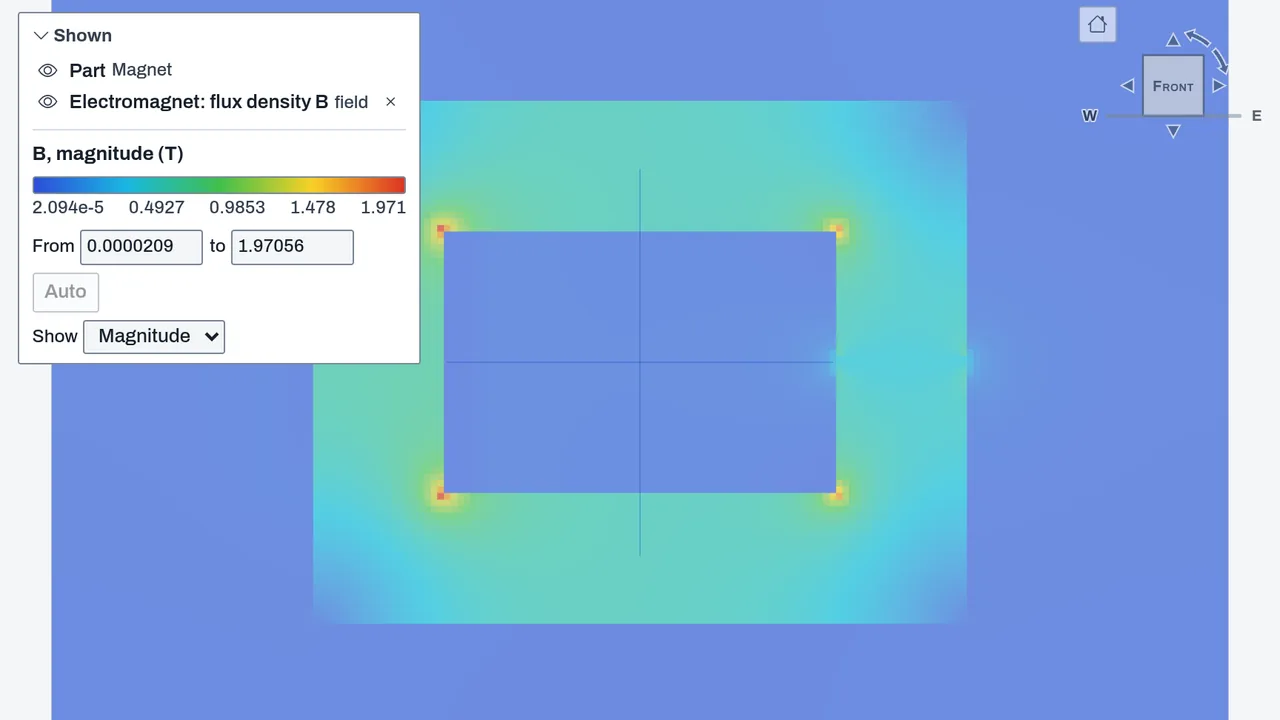
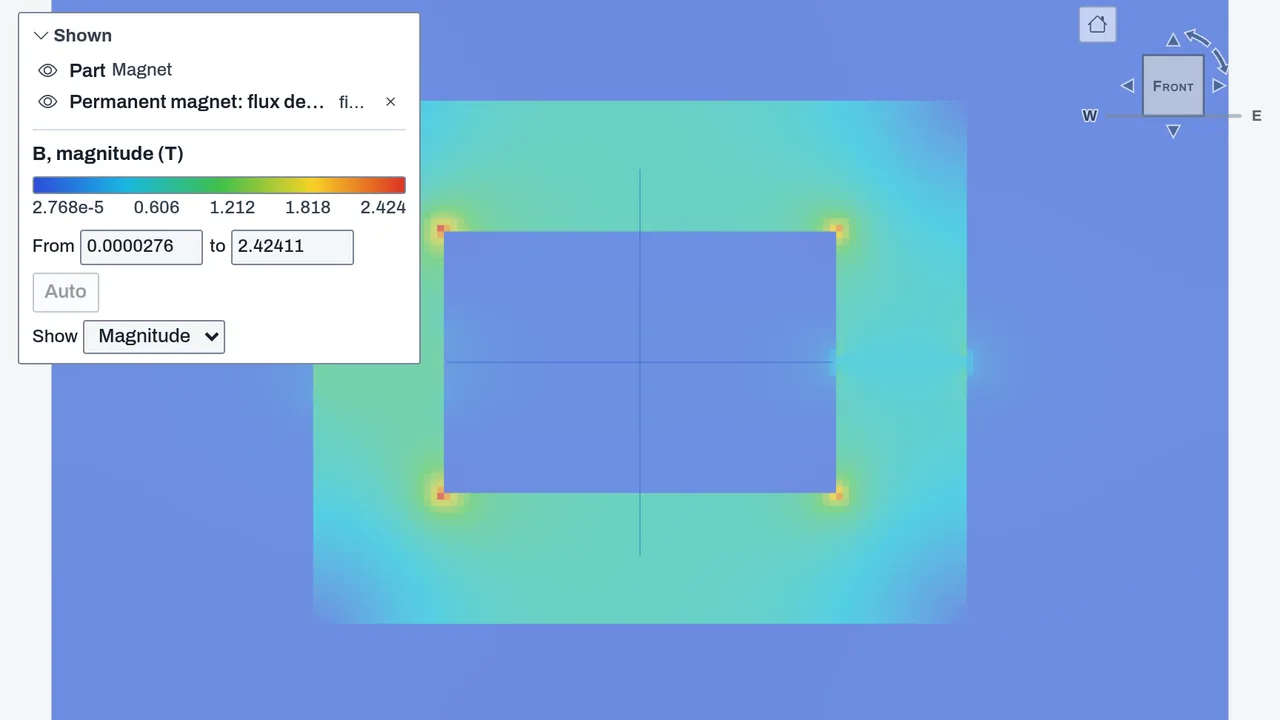
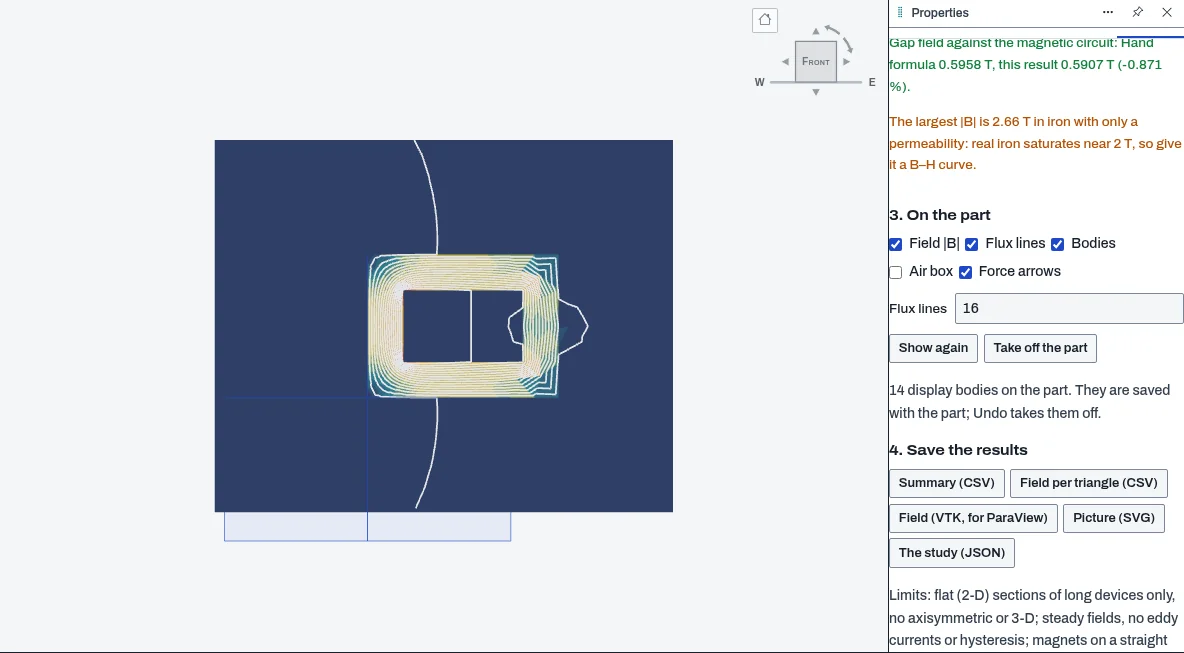
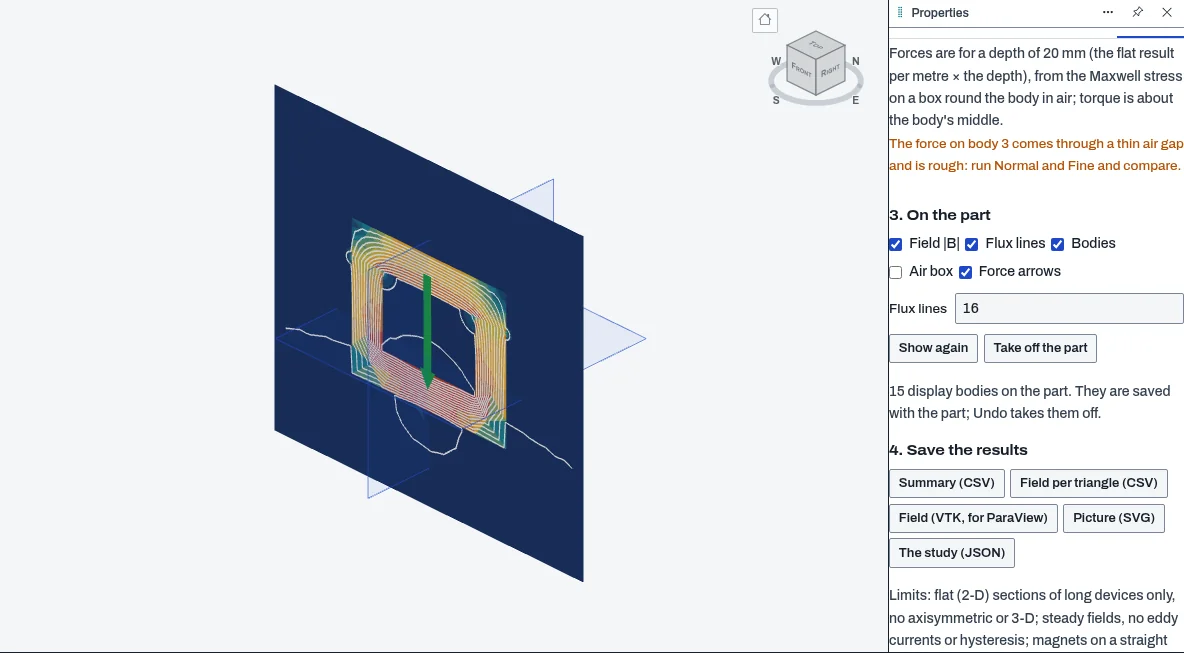
Magnetics is a PartCraft add-on for flat (2-D) magnet and electromagnet studies. You set up the cross-section of a long device, either from one of five example devices or from the closed profiles of your own sketches. Each body is air, iron, a permanent magnet or a coil, and you choose how much air surrounds them. It solves the field and shows the flux density, the flux lines and the force and torque on the bodies you pick. The result goes onto the part in the 3D view, and you can save it as CSV, VTK or SVG. It is packaged and off by default, in the lab only. It is an analysis aid, not a design approval.
Who it’s for
- Designers of electromagnets, solenoids and holding magnets who need a first estimate of a gap field or a pull.
- Mechanical designers checking how a magnet and the iron around it share the flux.
- Students learning magnetic circuits: three of the examples are checked against the hand formula, and the result line shows both values.
What you can do
- Set up a study from an example (C-core electromagnet, magnet in a closed iron frame, holding magnet with a keeper, one round conductor, two parallel conductors) or from the closed profiles of the part's sketches.
- Give each body its role: iron (a relative permeability, or your own B–H curve so it saturates), a permanent magnet (Br and direction), a coil (total current) or air. Choose the air box margin, the depth of the device and the mesh.
- Solve in a background worker and read the largest flux density, each body's mean and largest flux density, the flux between neighboring flux lines, and the force and torque on chosen bodies.
- Compare the result with the example's hand formula, with the difference in percent.
- Show the result on the part as display bodies in one undo step, saved with the part: the bodies, the field and flux lines near them, and force arrows.
- Save a summary CSV, the field per triangle as CSV, a VTK file for ParaView, an SVG picture and the study as JSON. The summary and VTK files are also in File › Export.
Methods and standards
PartCraft's own solver, the same one Sketch › Magnet study uses. Linear triangle finite elements for the vector potential, with Newton iterations for iron given a B–H curve. A conforming Delaunay mesh from the published papers of Ruppert and Shewchuk. Forces come from the Maxwell stress on a box in the air round the body. In 2-D the flux lines are contours of the vector potential, so the same flux flows between two neighboring lines. The add-on adds the set-up, the examples, the read-outs, the result on the part and the files. It has no solver of its own.
Data and sources
No material data ships. The iron's 2000, the magnet's 1.2 T and the B–H curve are examples or your own numbers, not data sheets. The five examples are geometry with example values.
Verification
Add-on tests: node public_html/assets/apps/partcraft/dev/addons/magnetics/test/test.mjs. Run on 2026-10-30 (session addons-finish-magnetics): 94 passed, 0 failed. Closed-form checks: magnet in a closed iron frame 0.18 percent from the magnetic circuit; one conductor 0.06 percent from μ0·I / 2πr at twice its radius and 2.3 percent inside it; the flux between two flux lines 1.2 percent from μ0·I/2π · ln(r2/r1); two conductors 2.7 percent from μ0·I² / 2πd with a box four sizes wide (38 percent low with a box one size wide, which the result line flags); C-core gap field 0.9 percent from the magnetic circuit. Browser test in /lab/partcraft: node tools/addons-test/browser-magnetics.mjs, 25 passed, 0 failed (real worker, real scene objects, one undo step, downloads). The solver's own tests: node tools/partcraft-test/test-sim08.mjs.
Limits
Flat (2-D) sections of long devices only: no axisymmetric and no 3-D models. Steady fields only: no eddy currents, AC, hysteresis or motion. Magnets follow a straight recoil line, with no demagnetization knee. Iron is linear unless you give a B–H curve. The study warns when linear iron goes past 2.1 T. The Maxwell force depends on the mesh near the body and is rough through a thin gap. The study warns when this happens, so compare the Normal and Fine meshes. A sketch on a face or a reference plane shows its result on the front plane. A Fine mesh can need more triangles than the viewport allows, and then the bodies are left out and the message says so. Display bodies are not part of the solid: they have no mass and are not in STL or STEP.
Files and formats
Reads the part's sketches and your numbers. Writes a summary CSV, the field per triangle as CSV, a legacy VTK file (B per triangle, A per point), an SVG picture and the study as JSON. The result shown on the part is saved in the part file.
Get started
- Switch Magnetics on in Settings › Add-ons in /lab/partcraft, then open its tab in the right panel.
- Click Solve on the C-core example, then Show on the part.
- For your own device, draw each body as a closed profile in a sketch. Bodies that touch go in different sketches. Choose This part's sketches and give each body its role.
Languages
The text is available in:
- Afrikaans (af)
- Amharic (am)
- Arabic (ar)
- Azerbaijani (az)
- Belarusian (be)
- Bulgarian (bg)
- Bengali (bn)
- Bosnian (bs)
- Catalan (ca)
- Czech (cs)
- Danish (da)
- German (de)
- Dhivehi (dv)
- Greek (el)
- English (en)
- Spanish (Spain) (es-ES)
- Spanish (Mexico) (es-MX)
- Estonian (et)
- Persian (fa)
- Finnish (fi)
- Filipino (fil)
- French (fr)
- Galician (gl)
- Guarani (gn)
- Hebrew (he)
- Hindi (hi)
- Croatian (hr)
- Hungarian (hu)
- Armenian (hy)
- Indonesian (id)
- Icelandic (is)
- Italian (it)
- Japanese (ja)
- Georgian (ka)
- Kazakh (kk)
- Khmer (km)
- Korean (ko)
- Kyrgyz (ky)
- Lao (lo)
- Lithuanian (lt)
Works in
| Edition | Works | Note |
|---|---|---|
| Browser (/use) (yours) | Added on demand | Fetched the first time you use it, then kept for offline use. |
| Studio from getcadcraft.com | Added on demand | Fetched the first time you use it, then kept for offline use. |
| Microsoft Store | Added on demand | Fetched the first time you use it, then kept for offline use. |
| Google Play | Added on demand | Fetched the first time you use it, then kept for offline use. |
| iPad and iPhone (App Store) | Included; switch it on | Part of the reviewed app; your list switches it on. |
| Custom build | Added on demand | Fetched the first time you use it, then kept for offline use. |
Comes with
Adding it brings these too. Engines are shared: each downloads once for every add-on that uses it.
Needed by: Fusion and plasma engineering.
Permissions
- Adds a panel section
- Opens or saves its own file types
- Keeps its own settings in this browser
- Adds commands
From its manifest. Shown again when an update changes them, and the update waits for your yes.
Versions
| Version | Channel | Date | What changed |
|---|---|---|---|
| 0.8.0 | stable | November 9, 2026 | Signed and published. |
Licence and maker
CadCraft (CadCraft, first-party). Licence: Apache-2.0. Dependencies carry their own licences, listed on their pages.