Feature
Mining
Pits and block models.
Use this add-on:
Overview
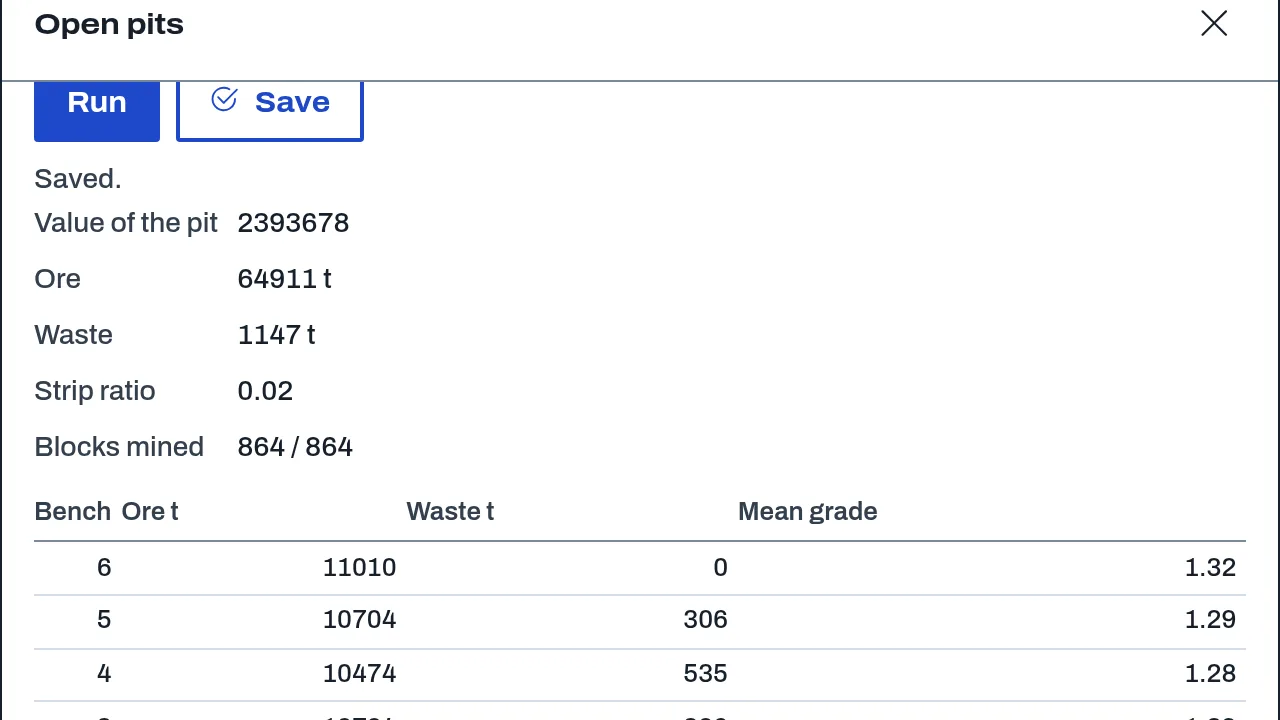
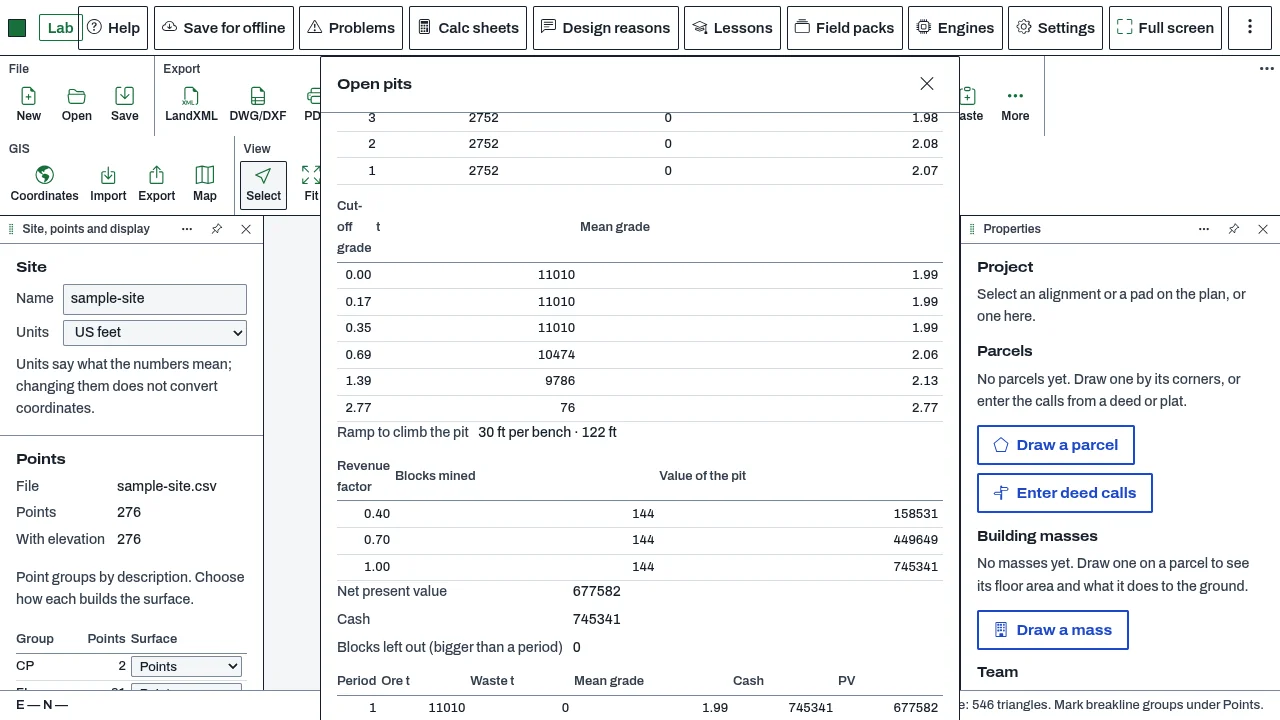
Mining works out open-pit shapes and values in CivilCraft. From drill-hole samples it builds a block model by inverse-distance weighting, values each block from price, recovery and costs, and finds the ultimate pit: the largest shape that can be dug under the slope you set. It also gives the overall slope from the bench geometry and a grade-tonnage table. Today the code is part of CivilCraft's core, in its Surface › More › Open pits window. Moving it out as an add-on is proposed.
Who it’s for
- Mining engineers who want a first pit shape and its ore and waste from a block model.
- Geologists who check block grades and a grade-tonnage curve against the samples.
- Mine planners who test how the pit changes with price, recovery and slope.
What you can do
- Build a block model from drill-hole samples by inverse-distance weighting, with a power and a search radius.
- Give each block a value from its density, grade, price, recovery, processing cost and mining cost, with the cut-off between ore and waste.
- Find the ultimate pit under a slope you set, for a block pattern of 8 or 4 neighbours, and read the value, ore and waste it holds.
- Set the bench height, face angle, berm and ramp, and read the overall slope angle they give.
- Get a grade-tonnage table: the tonnes and mean grade at each cut-off.
- Set phases and an ore capacity per period in the pit window for a phased schedule.
Methods and standards
Block model by inverse-distance weighting (Shepard 1968), power p. Block economic value: ore blocks value the grade times recovery times price, less processing, and less mining cost; waste carries mining cost only (Hustrulid and Kuchta, Open Pit Mine Planning and Design). Ultimate pit as a maximum-weight closure (Lerchs and Grossmann 1965; Picard 1976, as a minimum cut), solved by Dinic's maximum flow (Dinic 1970). Overall slope angle OSA = atan(H / (H/tan α + B)) for bench height H, face angle α and berm width B (Read and Stacey, Guidelines for Open Pit Slope Design).
Data and sources
No geological data is shipped. Samples, density, price, recovery, costs and slopes are the person's. The add-on's starting values are examples to replace.
Verification
bin/test-civilcraft-mining.mjs checks known answers: the overall slope for a 10 m bench at 70° with an 8 m berm (40.7°), block values by hand, and inverse-distance weighting (a sample returns its own grade, a point midway between two returns their mean). The ultimate pit is checked against brute force over every closure of a small two-dimensional model. The grade-tonnage curve falls in tonnes and rises in grade as the cut-off rises. The repo has no comparison against a commercial pit optimiser or a real deposit.
Limits
A calculation aid. A mine plan is signed by a competent person, and this does not replace one. Price, cost, recovery and slope are the person's and are not checked. Not a mineral reserve estimate under a reporting code. Interpolation is inverse-distance only, with no geostatistics. Haulage simulation, blasting and reserve reporting are not in this build.
Files and formats
Pit items are saved in the CivilCraft project. Block values and results are shown in the window; they are not written to a separate file.
Get started
- Open CivilCraft, then Surface › More › Open pits.
- Add a pit and set its block grid, density, price, recovery, costs and slope.
- Run the pit to read its value, ore and waste, and the ultimate pit.
Languages
No languages are listed for this add-on yet. Its maker may add some.
Works in
| Edition | Works | Note |
|---|---|---|
| Browser (/use) (yours) | Added on demand | Fetched the first time you use it, then kept for offline use. |
| Studio from getcadcraft.com | Added on demand | Fetched the first time you use it, then kept for offline use. |
| Microsoft Store | Added on demand | Fetched the first time you use it, then kept for offline use. |
| Google Play | Added on demand | Fetched the first time you use it, then kept for offline use. |
| iPad and iPhone (App Store) | Included; switch it on | Part of the reviewed app; your list switches it on. |
| Custom build | Added on demand | Fetched the first time you use it, then kept for offline use. |
Comes with
Nothing else.
Needed by: Geological and petroleum reservoir engineering, Mining engineering.
Versions
| Version | Channel | Date | What changed |
|---|---|---|---|
| 1.0.0 | stable | October 28, 2026 | First version in the Library. |
Licence and maker
CadCraft (CadCraft, first-party). Licence: Apache-2.0. Dependencies carry their own licences, listed on their pages.