Feature
Open solver cases
Set a study up on a part and export a ready-to-run case folder for OpenFOAM, code_aster or OpenRadioss, run it yourself, and bring the results back onto the model. The solvers are separate programs; no case has been run in them yet.
Use this add-on:
Overview
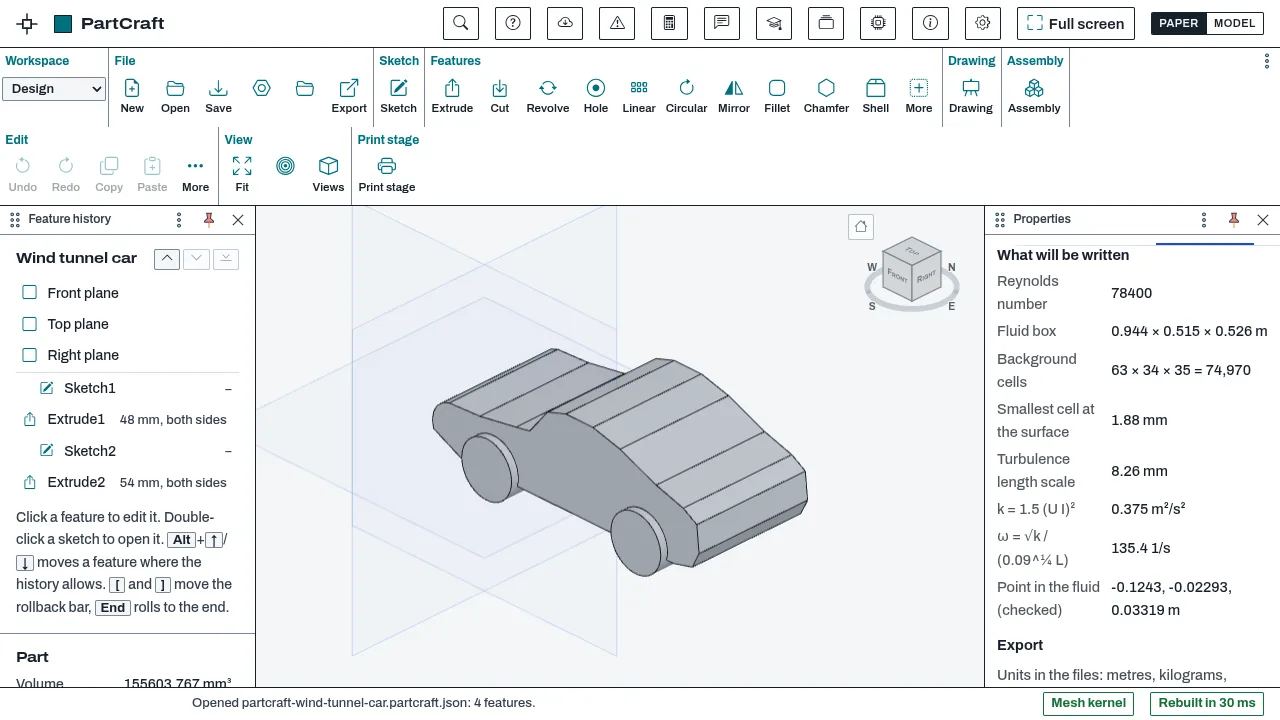
Open solver cases is a PartCraft add-on for setting a study up on a part and handing it to an outside solver. You pick faces on the part, it writes a complete case folder as a zip for OpenFOAM (flow), code_aster (stress, natural frequencies or steady heat) or OpenRadioss (drop or impact), you run the solver on your own computer, and you bring the result files back and see them drawn on the model. The solvers are separate programs under their own licences and nothing of them is included. No case from this add-on has yet been run in the real solvers.
Who it’s for
- Mechanical engineers who already run OpenFOAM, code_aster or OpenRadioss and want the case set up from the model instead of by hand.
- Students and makers learning those solvers who want a well-formed starting case with its units stated.
- Teams who want an open-source route for flow, stress and impact studies beside PartCraft's own solvers.
What you can do
- Set up a flow case, either a body in a wind-tunnel box or the inside of a duct modelled as the fluid space, with inlet, outlet and named walls picked on the faces.
- Set up a stress, frequency or heat study with fixed faces, forces, pressures, temperatures, heat fluxes and convection, and copy fixtures and loads from the part's own simulation study.
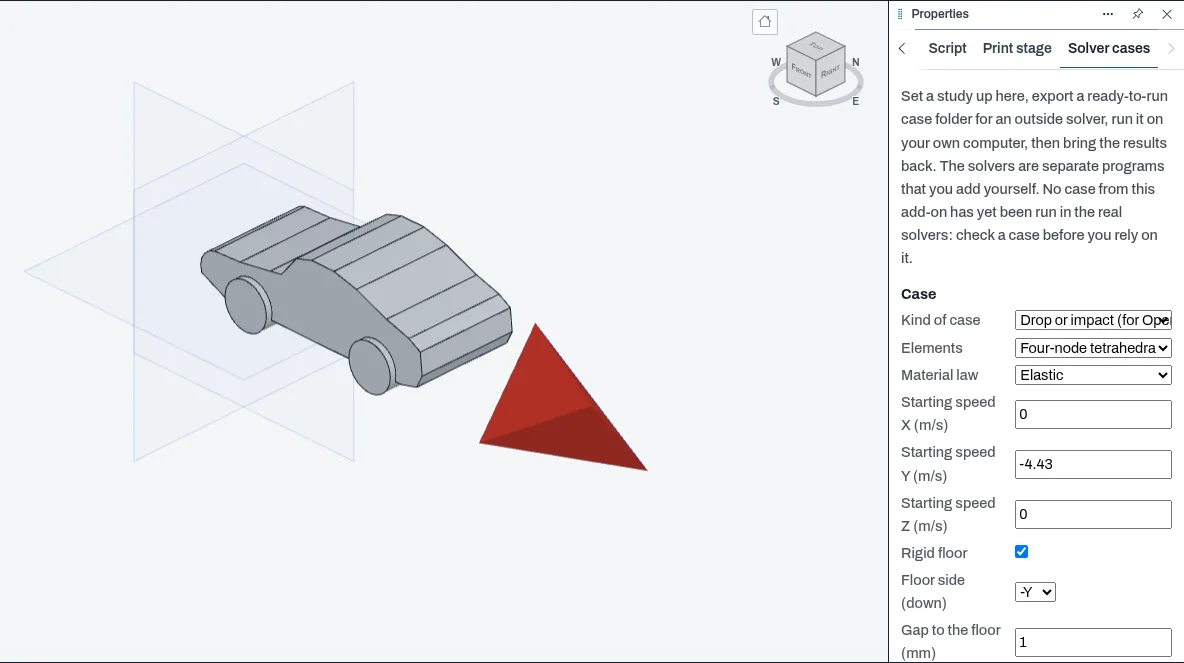
- Set up a drop or impact run with a material law, a starting speed, a rigid floor, gravity and a run time.
- See what will be written before exporting: for a flow case the Reynolds number, the fluid box, the cell counts and the inlet turbulence values worked out from your intensity and length scale.
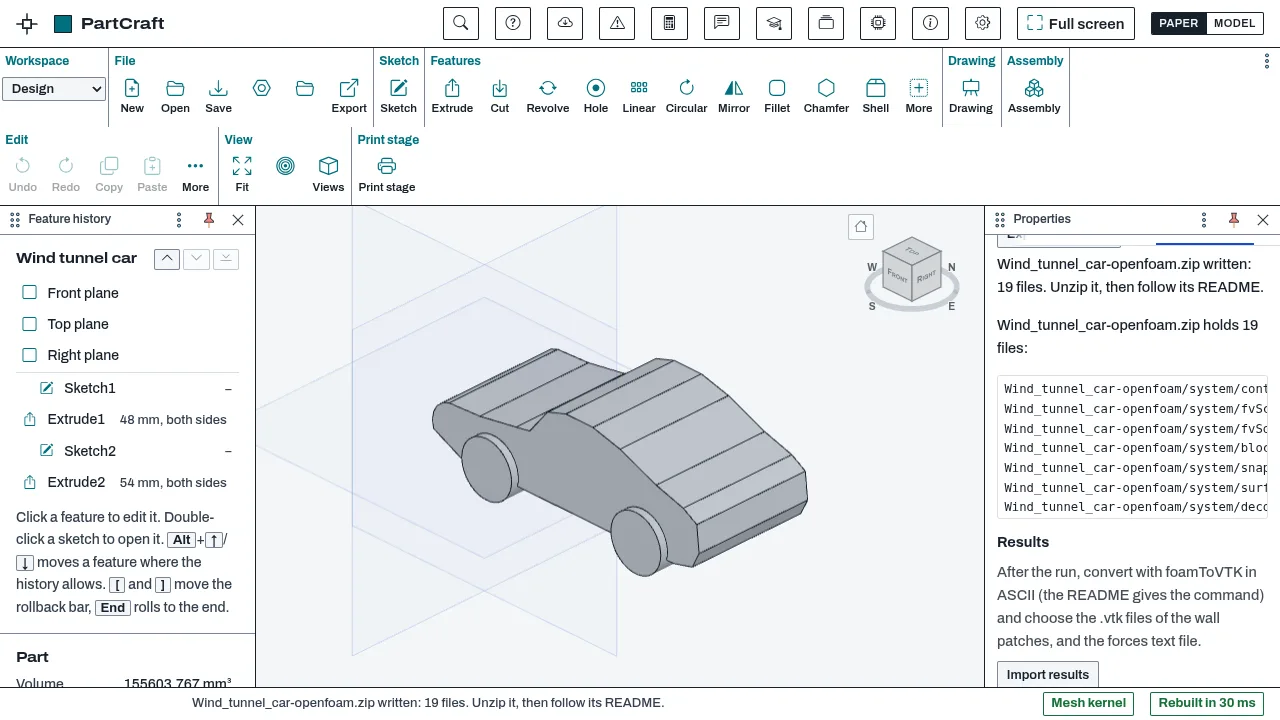
- Export the case as a zip with a README that gives the exact commands and the units.
- Import the result files and plot a quantity on the model, blue lowest and red highest.
Methods and standards
The add-on writes text files in each project's published formats: an OpenFOAM case matched to the version you choose (v2412 or the OpenFOAM-13 line), a code_aster export with its mesh and command file, and OpenRadioss starter and engine decks. Models are in millimetres and each case states its unit set in every file header and README. For turbulent flow the inlet values follow k = 1.5 (U I) squared and omega = square root of k over 0.09 to the quarter times L. Result readers take legacy ASCII VTK surface files and the code_aster text listing, and a large surface is thinned to fit the display.
Data and sources
No data is bundled. The geometry and the faces come from your part, and the material values, loads and speeds are the ones you type; Johnson-Cook numbers have no presets. Keywords were compared with the tutorial and test cases of each project as read on 11 November 2026: OpenFOAM v2412 and OpenFOAM-13, code_aster 17, and OpenRadioss input version 2022.
Verification
| Case | Result |
|---|---|
| OpenFOAM case files read back strictly | 503 checks pass and none fail: brackets and keywords, every patch named anywhere exists everywhere it must, and the unit conversions against hand calculations (node tools/opensolvers/test-foam.mjs, run 2026-11-20) |
| code_aster export read back strictly | 57 checks pass and none fail for node and element counts, groups, orientation and units (node tools/opensolvers/test-aster.mjs, run 2026-11-20) |
| OpenRadioss decks read back strictly | 40 checks pass and none fail, including fixed column widths and unit conversions (node tools/opensolvers/test-radioss.mjs, run 2026-11-20) |
| Result readers | 40 checks pass and none fail on small files written by hand in the documented layouts; the readers have not seen real solver output (node tools/opensolvers/test-vtk.mjs, run 2026-11-20) |
| No real solver run | No case has been run in OpenFOAM, code_aster or OpenRadioss, so convergence and version-specific settings are unproven |
Limits
An analysis aid, not a design approval, and your engineer reviews the results. No case has been run in the real solvers, so a file can be well formed and still not converge. The sign rule of an imposed heat flux in code_aster was not confirmed, and the tetrahedron order and floor side for OpenRadioss were read from its source and guide, not seen in a run. Flow is incompressible, one fluid, with no heat or moving parts, steady turbulent or transient laminar only. Stress is linear elastic, one material, fixed faces only, no contact. Impact is one part, one material, tetrahedra only. Results are surfaces only, with no cut plane through a flow. Assemblies are not handled: only the part in the window. The add-on cannot start a program on your computer.
Files and formats
Writes a zip case folder with a README: OpenFOAM case files, a code_aster export with its mesh and command file, or OpenRadioss starter and engine decks. Reads legacy ASCII VTK files, the OpenFOAM forces file and the code_aster .resu listing. Settings are saved with the part.
Get started
- Add Open solver cases in Settings, General, Add-ons and open the Solver cases tab in PartCraft.
- Choose the kind of case and add faces with the Add buttons, clicking them in the 3D view.
- Press Export case, unzip it where the solver is installed, and run the commands in the README.
- Back in PartCraft press Import results and Show on the model.
Languages
The text is available in:
- English (en)
Works in
| Edition | Works | Note |
|---|---|---|
| Browser (/use) (yours) | Added on demand | Fetched the first time you use it, then kept for offline use. |
| Studio from getcadcraft.com | Added on demand | Fetched the first time you use it, then kept for offline use. |
| Microsoft Store | Added on demand | Fetched the first time you use it, then kept for offline use. |
| Google Play | Added on demand | Fetched the first time you use it, then kept for offline use. |
| iPad and iPhone (App Store) | Included; switch it on | Part of the reviewed app; your list switches it on. |
| Custom build | Added on demand | Fetched the first time you use it, then kept for offline use. |
Comes with
Nothing else.
Permissions
- Adds a panel section
- Adds commands
- Opens or saves its own file types
From its manifest. Shown again when an update changes them, and the update waits for your yes.
Versions
| Version | Channel | Date | What changed |
|---|---|---|---|
| 0.9.1 | stable | November 21, 2026 | Signed and published. |
Licence and maker
CadCraft (CadCraft, first-party). Licence: Apache-2.0. Dependencies carry their own licences, listed on their pages.