Feature
Your own AI key
AI in one app without CadCraft Studio: the Ask box answers with a model you bring, with your own key for Anthropic or OpenAI, an OpenAI-compatible service, or a model on your own computer. In CadCraft Studio and SuperCad Studio AI is built in.
Use this add-on:
Overview
In CadCraft Studio and SuperCad Studio, AI is part of Studio: you set up your model once and the Ask box of every app answers with it. Nothing has to be added there, and this add-on does nothing inside Studio.
Your own AI key is for using one app on its own, in a browser, without Studio. It is the same engine Studio runs. With it, the Ask box of that app is answered by a model you bring: a key for Anthropic or OpenAI, any OpenAI-compatible service, or a model running on your own computer. A question goes from your browser to the provider you chose, with your key, and the answer comes back as plain text with the list of tools that were used. Nothing goes through CadCraft's servers.
Versions: the download today is 0.10.0, which works inside CadCraft Studio 0.10 only (Studio 0.10 needs it for the Ask box to use your own model). From 0.11, AI is built into Studio and this add-on is for one app in a browser, as described here.
Who it’s for
- People who use one CadCraft app in a browser, without CadCraft Studio, and want a model to answer its Ask box.
- People who already pay a model provider and want to ask questions about a drawing, model or takeoff without a separate AI app.
- Anyone who wants hard limits on calls and spending before a model is allowed to answer. If you use CadCraft Studio or SuperCad Studio you do not need it: AI is built in there.
What you can do
- Type a question in the Ask box of one app in a browser and have your own model answer it with the app's tools.
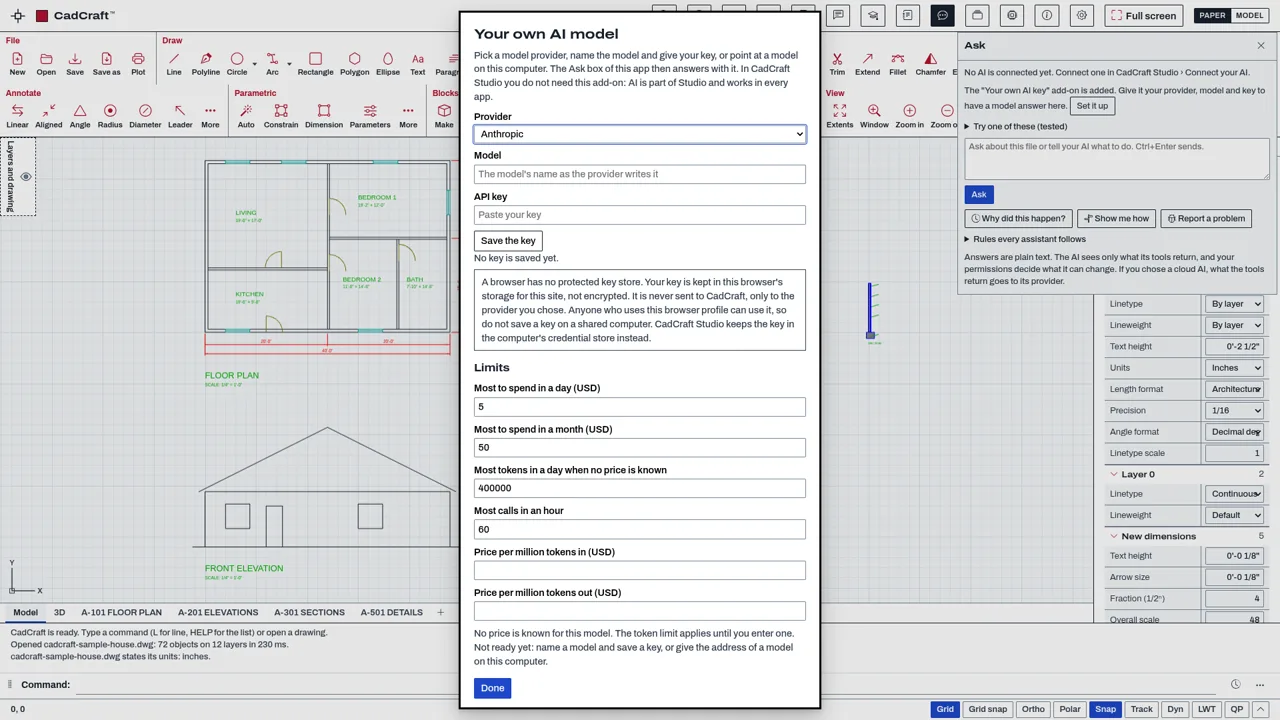
- Use a key from Anthropic or OpenAI, the address of an OpenAI-compatible service, or a model on this computer (no key needed for a local one).
- Set limits that are checked before every call: calls per hour, money per day and per month, a token limit per day when no price is known, and tool steps per question.
- See which limit stopped a question.
- Switch the add-on off in Settings, Add-ons: the Ask box drops your model at once and keeps working with an AI app you connected.
Methods and standards
The add-on sends the question, the app's tool list and the tool results to the model as one conversation, runs the tools the model asks for through the app's own command path (the same commands and the same undo as a person's click), and repeats until the model answers or a limit is reached. It is the engine CadCraft Studio runs, copied byte for byte.
Spending is worked out from the token counts the provider reports and the prices you can see and edit in the set-up. Before each call the worst case of that call (the request plus the largest answer you allow) is added to what is used; a call that could pass a limit is not made. A model on your own computer counts no money.
Data and sources
The add-on holds no model, no key and no data of ours. It holds the request format of two providers and of OpenAI-compatible services, and a short price list for Anthropic models as published on 2026-10-06, which you can edit. Prices of other providers start empty; a token limit applies until you enter one.
Verification
| Case | Result |
|---|---|
| The engine against a stand-in provider | Run with a stand-in key store and a stand-in provider, never a real one: node tools/mcp/test/byok.mjs and node bin/test-ask-byok.mjs. |
| The Ask box in a real page, in Studio and in a browser with the add-on | node tools/shell-test/browser-ask-ownkey.mjs: in a stand-in Studio the box answers with Studio's engine and no add-on; in a browser the add-on's set-up stores a stand-in key and a stand-in local endpoint answers. |
Limits
What a model answers is a design aid, not an engineering approval: read it and check it before you rely on it.
- It is for one app in a browser. Inside CadCraft Studio and SuperCad Studio it does nothing: Studio has the same engine built in and keeps your key in the computer's credential store. - A browser has no protected key store. Your key is kept in this browser's storage for this site, not encrypted. Anyone who uses the same browser profile can use it, and so could another add-on you added. Do not save a key on a shared computer; Remove the key takes it out again. - The settings and the key are kept per app and per browser. Another app, another browser or another computer needs its own set-up. - What the tools return from your file goes to the provider you chose. With a cloud provider that is their service and their terms. - The provider must accept calls from a web page. A model on your own computer has to be set to allow them. - Answers are plain text. A model can be wrong; every change it makes is one undo step. - Tested with stand-in providers only. No call to a real provider and no real key was used in testing. - Streaming answers, pictures and file uploads to the model are not supported. - Versions: the download today is 0.10.0, which works inside CadCraft Studio 0.10 only (Studio 0.10 needs it for the Ask box to use your own model). From 0.11, AI is built into Studio and this add-on is for one app in a browser, as described here.
Files and formats
The add-on saves nothing in your drawings. Your settings, your key and the record of calls used for the limits are kept in this browser's storage for this site, for the app you set it up in. Nothing is kept on CadCraft's servers.
Get started
- Add Your own AI key, then open the app again in your browser.
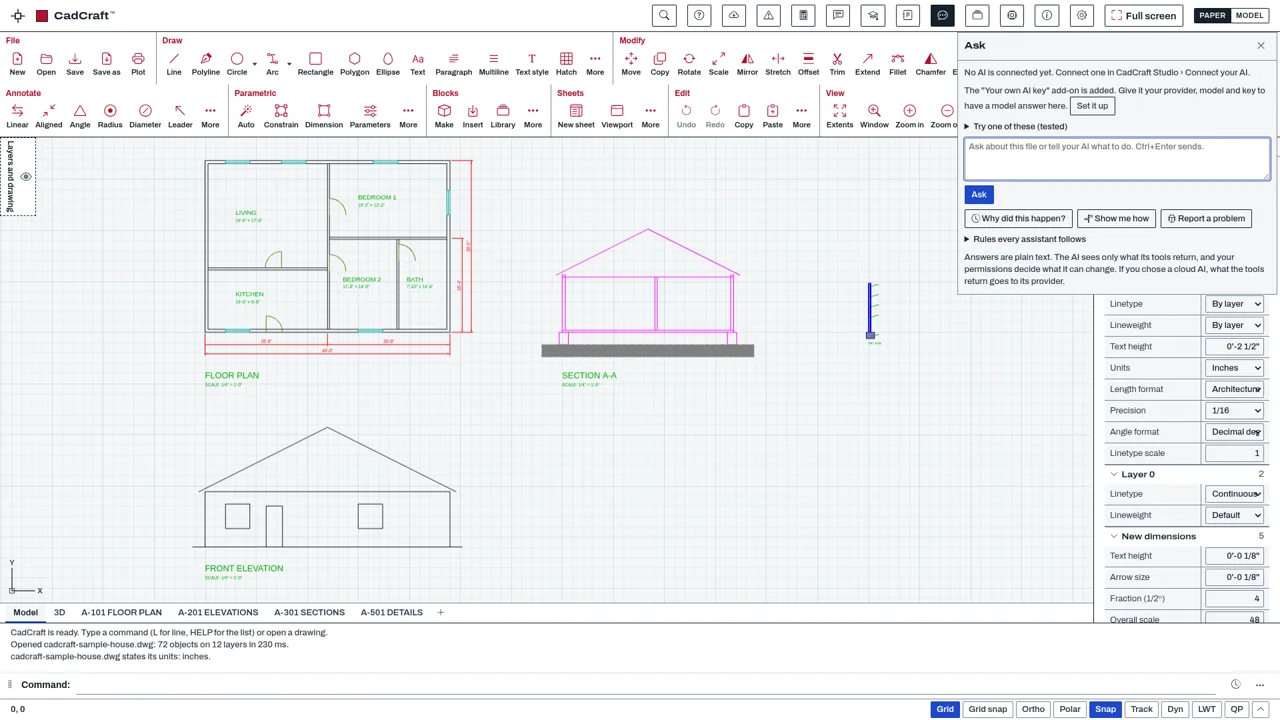
- Open Ask. The box says the add-on is added: press Set it up, pick the provider, type the model name, paste your key (or give the address of a model on this computer) and set your limits.
- Allow the assistant what it may do in Settings, Assistants.
- Type a question and press Ask.
Languages
The text is available in:
- English (en)
Works in
| Edition | Works | Note |
|---|---|---|
| Browser (/use) (yours) | Added on demand | Fetched the first time you use it, then kept for offline use. |
| Studio from getcadcraft.com | Added on demand | Fetched the first time you use it, then kept for offline use. |
| Microsoft Store | Added on demand | Fetched the first time you use it, then kept for offline use. |
| Google Play | Added on demand | Fetched the first time you use it, then kept for offline use. |
| iPad and iPhone (App Store) | No | Outside makers' add-ons that add features are not offered in the iPad and iPhone app. Use the browser apps or Studio from getcadcraft.com. |
| Custom build | Added on demand | Fetched the first time you use it, then kept for offline use. |
Comes with
Nothing else.
Permissions
- Talks to a server on the internet
- Keeps its own settings in this browser
From its manifest. Shown again when an update changes them, and the update waits for your yes.
Versions
| Version | Channel | Date | What changed |
|---|---|---|---|
| 0.11.0 | stable | November 21, 2026 | Signed and published. |
| 0.10.0 | stable | November 17, 2026 | Signed and published. |
Licence and maker
CadCraft (CadCraft, first-party). Licence: Apache-2.0. Dependencies carry their own licences, listed on their pages.