Feature
P&ID
P&ID symbols, tags, line lists, checks.
Use this add-on:
Overview
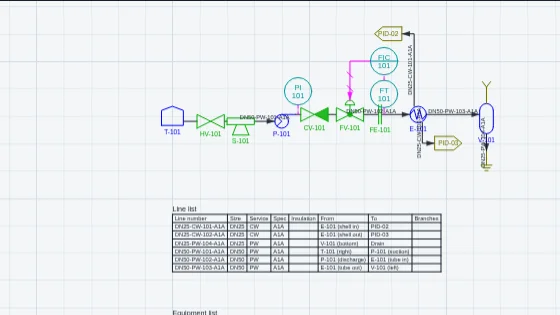
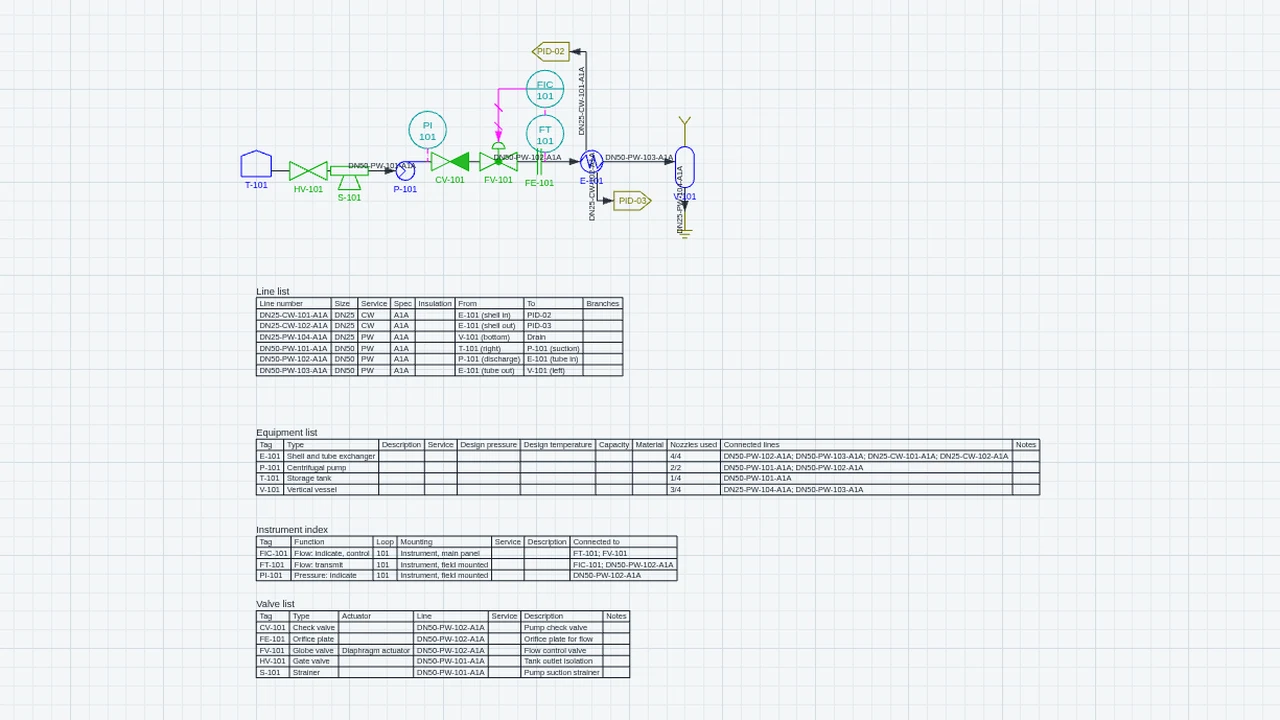
P&ID draws process and instrumentation diagrams in CadCraft: equipment, valves, instruments and the lines between them, with a tag on each item and a number on each line. From the finished drawing it makes the line list, equipment list, instrument index and valve list, and it checks the drawing for untagged items, duplicate tags and open line ends. With a process model it links the drawing to a flowsheet, carries line sizes through, and writes control system lists. It is a drafting aid, not an engineering approval.
Who it’s for
- Process and instrumentation drafters: symbols, tags and loop numbers that follow the usual conventions of these diagrams.
- Process engineers: a drawing that stays in step with a flowsheet, with line sizes changed from the drawing and carried through.
- Instrument and controls engineers: an instrument index and I/O lists for the control system.
- Project teams: line lists and equipment lists taken from the diagram and kept current on the sheet.
What you can do
- Place equipment, valves, instruments and in-line items from the P&ID symbol set with PIDSYMBOL (type S to choose a symbol, then click where it goes).
- Draw process lines with PIDLINE. Type the service, size and spec (for example PW, 2", A1A), and start and finish on a nozzle.
- Check the drawing with PIDCHECK: no tag, duplicate tag, open line end, open port, no line number, no loop number, number changes, and an instrument with no line.
- Put the line list, equipment list, instrument index or valve list on the sheet with PIDLIST. The table follows the drawing in the same undo step.
- Export every list as an XLSX workbook or as a CSV file with EXPORT, then P&ID lists.
- Link a process model with PIDPROC: Link and run, Stream table (placed on the sheet), Change a line size, and Control lists.
- Write the control system lists (tag list, instrument index, I/O list and loop list) with EXPORT, then Control system lists, as CSV or as a workbook. The I/O list ends with a spare allowance of 20 percent unless you change it.
- Set the symbol size and the list text height in Settings, CadCraft, P&ID.
Methods and standards
Symbols are drawn by CadCraft after the ideas of ISO 10628 (valves, actuators and equipment), ISA-5.1 (instrument balloons and the orifice plate) and ISO 14617 (connectors and specification breaks), as the add-on's symbol help documents. Line numbers, tags and checks follow the usual habits of these diagrams, not any company's or standard's rules. Control lists: the instrument letters and loop number make a loop (FT-101, FIC-101 and FV-101 are loop F101); each signal type maps to an analog or digital input or output as the add-on's process help describes.
Data and sources
The symbol library is CadCraft's own, dedicated to the public domain (CC0 1.0). The add-on has no pipe-size tables: a line's size and spec are text you type. A process model is a process.json file made in P&ID, in SuperCad Studio, by the assistant, or from Plant in BimCraft. You can draw symbols from other libraries as blocks.
Verification
The add-on's Node tests in public_html/assets/apps/cadcraft/dev/addons/pid/test/ (test.mjs, t-addon.mjs, t-files.mjs, t-process.mjs). Run on 2026-10-29: test.mjs 168 passed, 0 failed. They check the add-on's own logic, the file round trip and the process link. Not yet checked against a reference case: the symbols, tags and checks have not been compared with a reference drawing or a published standard.
Limits
A drafting aid. A clean check means the drawing agrees with itself, not that the plant is right. Not built yet: loop diagrams, cause-and-effect and data sheets; several sheets with a drawing list, and joins between off-page connectors across drawings; checks of sizes and specs against a piping class (sizes are text); symbols for insulation and heat tracing (insulation is a text field in the line list); lines that follow an item when it moves (move a line's end with its grip). The words of the add-on come in English until the next language update.
Files and formats
Reads and writes DWG and DXF. Each symbol, line and list is a block reference with its data kept under the application name CC_PID, so a diagram opens in other CAD programs as drawn, and in CadCraft without the add-on with nothing lost. Connections are not stored; CadCraft works them out from where things touch. The process model is kept in the drawing as hidden objects. Reads a process.json file (IMPORT). Writes lists as an XLSX workbook or a CSV file, and control system lists as CSV or a workbook.
Get started
- Open Settings, General, Add-ons and switch on P&ID.
- Type PIDSYMBOL, then S to choose a symbol, and click where it goes. Type PIDLINE to draw process lines.
- Type PIDCHECK to list the findings and go to each one. Type PIDLIST and click where a list goes on the sheet.
Languages
The text is available in:
- Afrikaans (af)
- Amharic (am)
- Arabic (ar)
- Azerbaijani (az)
- Belarusian (be)
- Bulgarian (bg)
- Bengali (bn)
- Bosnian (bs)
- Catalan (ca)
- Czech (cs)
- Danish (da)
- German (de)
- Dhivehi (dv)
- Greek (el)
- English (en)
- Spanish (Spain) (es-ES)
- Spanish (Mexico) (es-MX)
- Estonian (et)
- Persian (fa)
- Finnish (fi)
- Filipino (fil)
- French (fr)
- Galician (gl)
- Guarani (gn)
- Hebrew (he)
- Hindi (hi)
- Croatian (hr)
- Hungarian (hu)
- Armenian (hy)
- Indonesian (id)
- Icelandic (is)
- Italian (it)
- Japanese (ja)
- Georgian (ka)
- Kazakh (kk)
- Khmer (km)
- Korean (ko)
- Kyrgyz (ky)
- Lao (lo)
- Lithuanian (lt)
Works in
| Edition | Works | Note |
|---|---|---|
| Browser (/use) (yours) | Added on demand | Fetched the first time you use it, then kept for offline use. |
| Studio from getcadcraft.com | Added on demand | Fetched the first time you use it, then kept for offline use. |
| Microsoft Store | Added on demand | Fetched the first time you use it, then kept for offline use. |
| Google Play | Added on demand | Fetched the first time you use it, then kept for offline use. |
| iPad and iPhone (App Store) | Included; switch it on | Part of the reviewed app; your list switches it on. |
| Custom build | Added on demand | Fetched the first time you use it, then kept for offline use. |
Comes with
- Schematics and connectivity 800 KB
Adding it brings these too. Engines are shared: each downloads once for every add-on that uses it.
Needed by: Electrical controls and automation (schematics, PLC panels), Hazardous area classification, HAZOP and What-If, Instrumentation and control engineering, Piping and plant design, Process simulation.
Permissions
- Adds commands
- Adds toolbar buttons and menu items
- Adds a panel section
- Adds settings
- Adds its own objects and data to drawings
- Opens or saves its own file types
From its manifest. Shown again when an update changes them, and the update waits for your yes.
Versions
| Version | Channel | Date | What changed |
|---|---|---|---|
| 0.9.0 | stable | November 9, 2026 | Signed and published. |
Licence and maker
CadCraft (CadCraft, first-party). Licence: Apache-2.0. Dependencies carry their own licences, listed on their pages.