Feature
Building regulations
Checks the model against regulation packs.
Use this add-on:
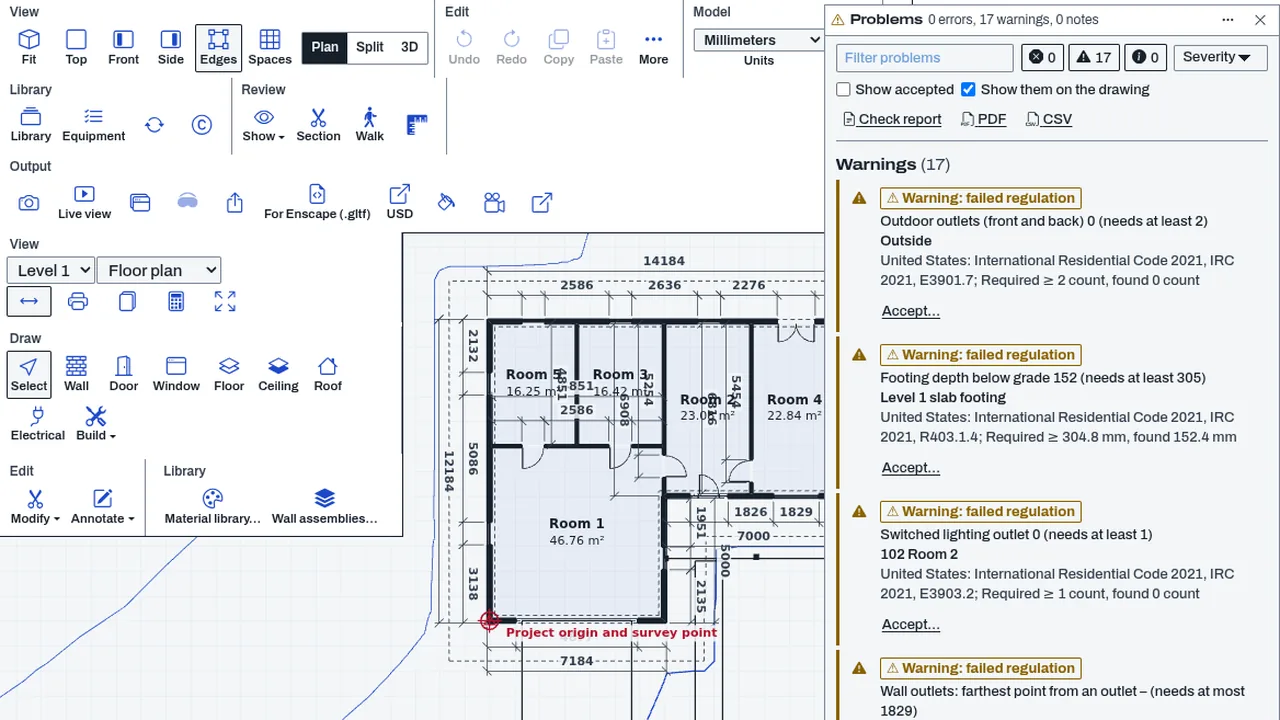
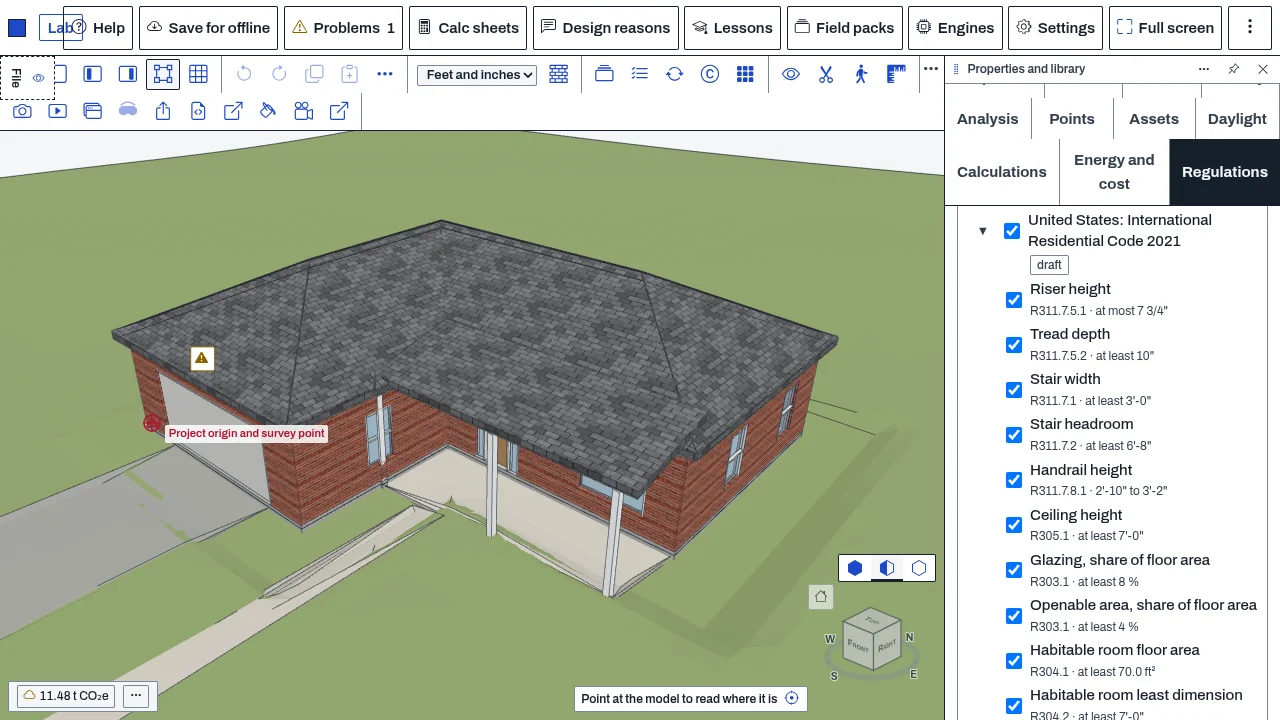
Overview
Building regulations checks a model or a drawing against regulation packs: files of numbers and clause numbers for a country, state or city. A pack holds limits (a stair riser, a room height, a footing depth), never the text of the standard, and every rule carries the clause it comes from.
In BimCraft it checks stairs, rooms, doors and escape openings, electrical layout, footings, wall framing, floor joists, rafters and wall insulation against the pack you tick. In CadCraft it checks drawing practice (units, levels, sheet series, scales, title block fields), in CivilCraft zoning and crest sight distance, and in DetailCraft the edge distance and spacing of bolts. Findings appear in the shared Problems panel with the pack, the edition and the clause, so you can see why something is flagged.
Packs are separate content: installing a country or state adds its packs, not new code. You tick the packs for a drawing, and the drawing remembers which pack versions it was checked against.
Who it’s for
- Architects and designers who want an early read on residential code limits while they draw.
- Drafters preparing a drawing set who need to follow a sheet, scale and title-block practice.
- Site and zoning planners who check setbacks, height, floor-area ratio and coverage of a lot.
- Detailers who check bolt edge distance and spacing against a published table.
What you can do
- Tick the packs that apply to a drawing, by country and place, and see only the rules the app can check.
- See each finding in Problems with the pack, its edition and the clause it comes from.
- Choose what happens when packs disagree: each one, the strictest, or in a chain.
- Filter packs and rules by place, trade or clause words, and tick single rules on or off for one drawing.
- Print a code summary sheet (a PDF) of what was checked and what was not.
- Add your own pack from a file; it is validated and always marked as not reviewed.
- Keep a drawing on the pack versions it was checked against; a newer installed version is offered, never applied silently.
Methods and standards
A pack is a JSON file in a published format (cadcraft-regulation-pack): a jurisdiction, an authority level (adopted law, government, model code, professional or community), a source and a date, and rules. Each rule has an id, a limit with its unit, and the clause. Packs can build on another (a state on a model code, a city on its state), so a city pack holds only what differs.
Judging. The engine compares measured values from the model with the limit in force: stair risers and goings, room area and height, hall width, egress door and bedroom escape openings, outlet spacing and counts, footing depth against the rule and the place's frost depth, wall stud spacing and header sizes against span tables, floor joist and rafter spans (horizontal projection of the sloped length), and wall insulation against the cavity and continuous R-value options of the climate zone. Spans and table values come from the tables of the packs' own model-code bases, quoted by clause; the add-on only reads them.
Honest gaps. A check that needs a value the model does not hold is a note, never a pass. Roofs and windows against the energy rules are notes. Rafters are not judged over 20 psf snow.
Data and sources
Shipped with the add-on: a US residential pack on the 2021 model code, a South African building pack, a South African drawing-practice pack, a European bolt-spacing pack, a US crest sight-distance pack, a made-up zoning pack to try the zoning check (marked as made up), and a sample maker pack for stairs (made up, example.com). The Library carries more: model-code packs for four editions, state packs and city packs, by country.
Sources. Each pack records its source and the date it was checked, and each rule its clause. The South African packs and the sight-distance table are not confirmed against the published standards; their review state says so and no line calls them the standard's. Check any pack against the purchased standard before relying on it.
What you supply: the drawing or model, the packs you tick, and for foundations and framing the design criteria (frost depth, snow load, soil bearing) when the pack does not give them for your place.
Verification
| Case | Result |
|---|---|
| Building regulations in CadCraft, CivilCraft and DetailCraft | 44 checks passed, 0 failed (node bin/test-regs-apps.mjs) and 28 passed, 0 failed in a real browser in all three apps: off, on, packs filtered to the app, a tick, a Problem with pack and clause, the tick kept in the file, switched off again. Recorded 2026-10-28 in docs/0.8-sessions/regs_PART_3.md. |
| Building regulations in BimCraft | 144 checks passed, 0 failed (node bin/test-bimcraft.mjs --regs) and 61 passed, 0 failed in a real browser. Recorded 2026-10-28 in docs/0.8-sessions/regs_PART_3.md. |
Limits
This is a guide and a design aid, not an engineering approval or a permit check. The registered professional and the local authority decide what is required. A pack can be out of date or incomplete for your place, and a rule it has not got is not a rule that does not apply.
- The South African packs and the AASHTO crest table are unconfirmed; the zoning sample is made up. - Roofs and windows against the energy rules are notes, never passes. Rafters are not judged over 20 psf snow. - The ticks for a CadCraft drawing are kept in the session, not yet in DWG or DXF; a reopened file starts from this computer's Settings. - A city by-law whose content is zoning has a pack with no rules. - Wind loads are not checked. - Only the packs you have installed are checked; nothing is looked up online while you draw.
Files and formats
Packs are JSON files in the cadcraft-regulation-pack format; you can upload your own. Drawings keep your ticks: in BimCraft inside the IFC as the CadCraft_Regulations property set on the project; in CivilCraft and DetailCraft inside the project file; in CadCraft for the session only. Reports are a PDF code summary sheet that ends with the not-legal-advice line.
Get started
- Add Building regulations, then in Settings, Global, Building regulations install the regions you work in.
- Open a drawing and tick the packs that apply in the Regulations panel.
- Open Problems to see what is flagged and why, with the clause; fix it or note why it stays.
- Print the code summary sheet when you are done.
Languages
The text is available in:
- Afrikaans (af)
- Amharic (am)
- Arabic (ar)
- Azerbaijani (az)
- Belarusian (be)
- Bulgarian (bg)
- Bengali (bn)
- Bosnian (bs)
- Catalan (ca)
- Czech (cs)
- Danish (da)
- German (de)
- Dhivehi (dv)
- Greek (el)
- English (en)
- Spanish (Spain) (es-ES)
- Spanish (Mexico) (es-MX)
- Estonian (et)
- Persian (fa)
- Finnish (fi)
- Filipino (fil)
- French (fr)
- Galician (gl)
- Guarani (gn)
- Hebrew (he)
- Hindi (hi)
- Croatian (hr)
- Hungarian (hu)
- Armenian (hy)
- Indonesian (id)
- Icelandic (is)
- Italian (it)
- Japanese (ja)
- Georgian (ka)
- Kazakh (kk)
- Khmer (km)
- Korean (ko)
- Kyrgyz (ky)
- Lao (lo)
- Lithuanian (lt)
Works in
| Edition | Works | Note |
|---|---|---|
| Browser (/use) (yours) | Added on demand | Fetched the first time you use it, then kept for offline use. |
| Studio from getcadcraft.com | Added on demand | Fetched the first time you use it, then kept for offline use. |
| Microsoft Store | Added on demand | Fetched the first time you use it, then kept for offline use. |
| Google Play | Added on demand | Fetched the first time you use it, then kept for offline use. |
| iPad and iPhone (App Store) | Included; switch it on | Part of the reviewed app; your list switches it on. |
| Custom build | Added on demand | Fetched the first time you use it, then kept for offline use. |
Comes with
- Regulations engine 300 KB
Adding it brings these too. Engines are shared: each downloads once for every add-on that uses it.
Needed by: Acoustical engineering, Architecture, Building envelope and façade engineering, Civil and site engineering, Clinical and hospital engineering, Coastal and ocean engineering, Electrical (building) engineering, Energy and building performance modeling, Environmental engineering (air, soil remediation, permitting), Fire and life safety engineering, Geotechnical engineering, Laboratory and cleanroom design, Lighting design, Mechanical (HVAC) engineering, Nuclear engineering, Plumbing and fire protection, Rail engineering, Security and blast-resistant design, Structural engineering, Surveying and geomatics, Transportation and traffic engineering, Wastewater and water treatment, Water resources and hydrology.
Permissions
- Adds settings
- Keeps its own settings in this browser
From its manifest. Shown again when an update changes them, and the update waits for your yes.
Versions
| Version | Channel | Date | What changed |
|---|---|---|---|
| 0.1.0 | stable | November 9, 2026 | Signed and published. |
Licence and maker
CadCraft (CadCraft, first-party). Licence: Apache-2.0. Dependencies carry their own licences, listed on their pages.