Regulation pack
US residential code packs (IRC 2015–2024, 36 states, 5 cities)
Use this add-on:
Overview
US residential code packs for the Building regulations add-on. They hold the International Residential Code (IRC) in four editions (2015, 2018, 2021 and 2024) as model-code packs, and state and city packs built on them, so a drawing can be checked against the rules of the place it is in. Each rule carries its clause. The packs hold numbers and section numbers, never the text of the code.
Who it’s for
- Residential designers and architects checking stairs, rooms, egress, electrical layout and framing against the code for a state or city.
- Drafters and builders preparing drawings for a local permit.
- Reviewers who must confirm a pack against the published text before relying on it.
What you can do
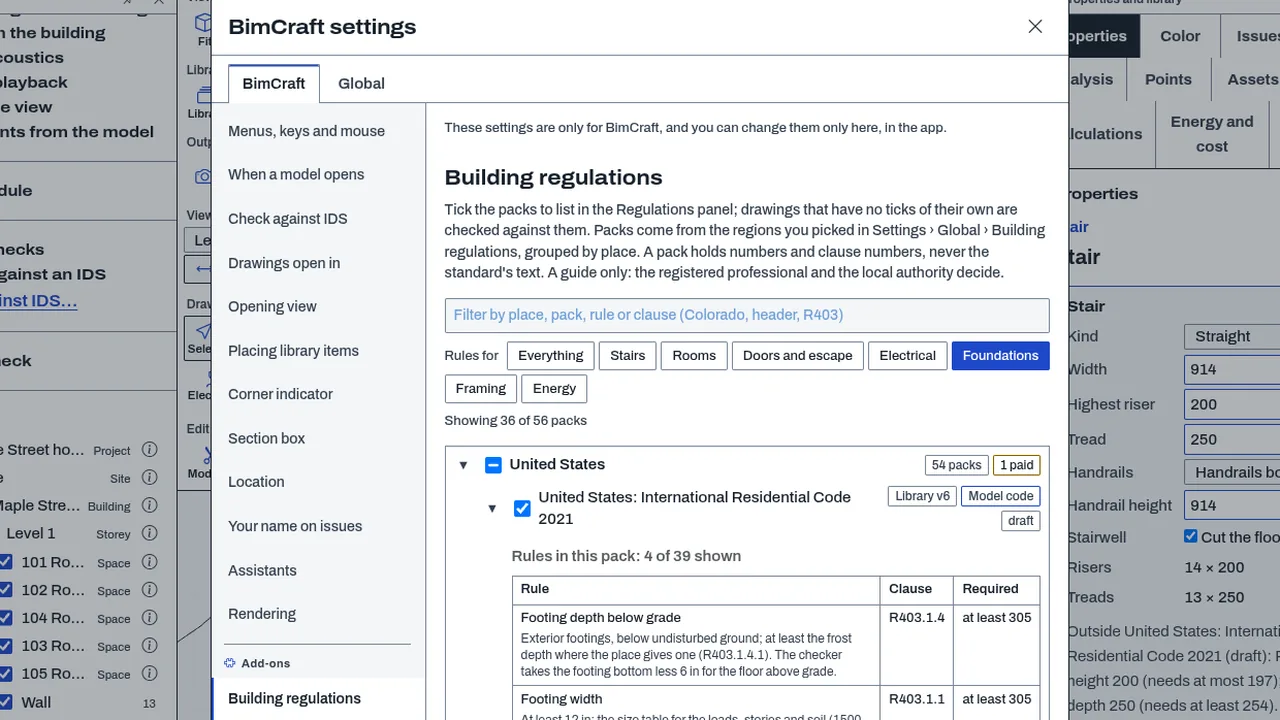
- Install the US packs in Settings, Global, Building regulations: a tree by country, state and city, with a check for updates.
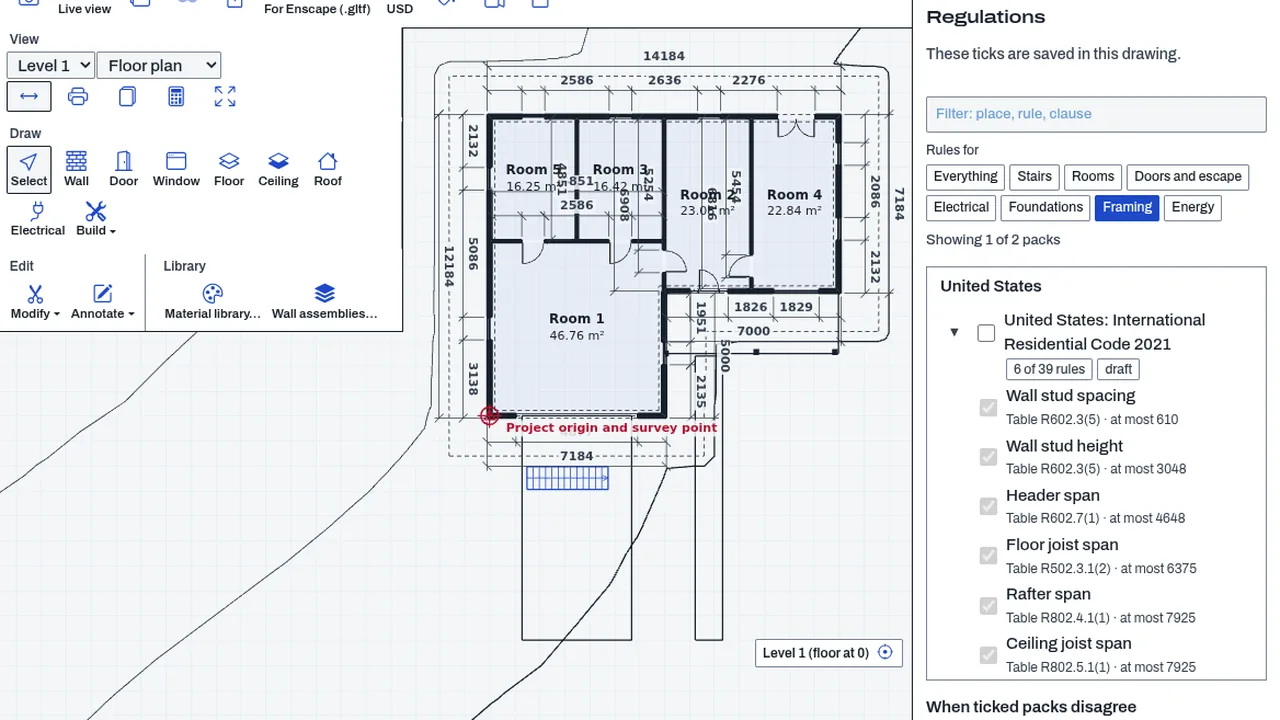
- Tick the pack for your place in the Regulations panel of a drawing, and see only the rules it can check.
- Read the findings in Problems, each with its pack, edition and clause.
- Filter the packs by place, trade or clause words in the panel.
- Print a code summary sheet of what was checked and what was not.
Methods and standards
Each pack records its authority (model code, or adopted law for a state or city), its edition, its source with the date, and the clause for each rule. A state or city pack builds on an IRC model-code base and holds only what differs, so a state's rules are its adopted edition plus its amendments. Foundation, framing and energy checks use the IRC tables that each pack carries, quoted by table number. Where a state's amendments were not researched, the pack shows the base code's rule for that check.
Data and sources
Numbers and section numbers entered from the cited text of each code, and from the state and city adoption records. The source address and date are kept in each pack. The packs were made from cited research notes, not typed by hand from memory. The pack set holds the four IRC editions, 36 state-level packs and 13 city packs. Some states have no statewide residential code and so no state pack; cities and counties there adopt their own. You supply the design criteria (frost depth, snow load, wind speed) for your place when a pack does not give them.
Verification
The PHP test bin/test-library-regulations.php checks the packs' loading, format and import. Run on 2026-10-29: 76 passed, 1 failed (the check 'a second import changes nothing' failed). The Node tests bin/test-bimcraft.mjs --regs (144 passed, 0 failed on 2026-10-29) cover the rules as the add-on applies them. Every pack's review state is draft or not checked: no pack has been reviewed by a person against the published text. Not yet checked against a reference case.
Limits
A model code is not law until a state or city adopts it. A draft pack has not been reviewed by a person. A rule a pack leaves out is not checked, and not checked is not a pass. Packs for the cities and states adopt their own amendments, which are researched for some rules only. Rafter, ceiling-joist and energy tables are data only where no check yet exists. Results are a guide, not a permit check.
Files and formats
Packs are JSON files in the cadcraft-regulation-pack format. Each pack carries its jurisdiction, edition, source, date, review state and rules. Drawings keep their ticks as the Building regulations add-on describes for each app.
Get started
- Open Settings, Global, Building regulations and tick the state or city you work in.
- Open a drawing and tick the pack in the Regulations panel.
- Open Problems and read each finding with its clause.
Languages
No languages are listed for this add-on yet. Its maker may add some.
Works in
| Edition | Works | Note |
|---|---|---|
| Browser (/use) (yours) | Added on demand | Fetched the first time you use it, then kept for offline use. |
| Studio from getcadcraft.com | Added on demand | Fetched the first time you use it, then kept for offline use. |
| Microsoft Store | Added on demand | Fetched the first time you use it, then kept for offline use. |
| Google Play | Added on demand | Fetched the first time you use it, then kept for offline use. |
| iPad and iPhone (App Store) | Added on demand | Fetched the first time you use it, then kept for offline use. |
| Custom build | Added on demand | Fetched the first time you use it, then kept for offline use. |
Comes with
- Regulations engine 300 KB
Adding it brings these too. Engines are shared: each downloads once for every add-on that uses it.
Needed by: Architecture.
Versions
| Version | Channel | Date | What changed |
|---|---|---|---|
| 1.0.0 | stable | October 28, 2026 | First version in the Library. |
Licence and maker
CadCraft (CadCraft, first-party). Licence: Apache-2.0. Dependencies carry their own licences, listed on their pages.