Feature
Telecom
Towers, antennas, fiber routes.
Use this add-on:
Overview
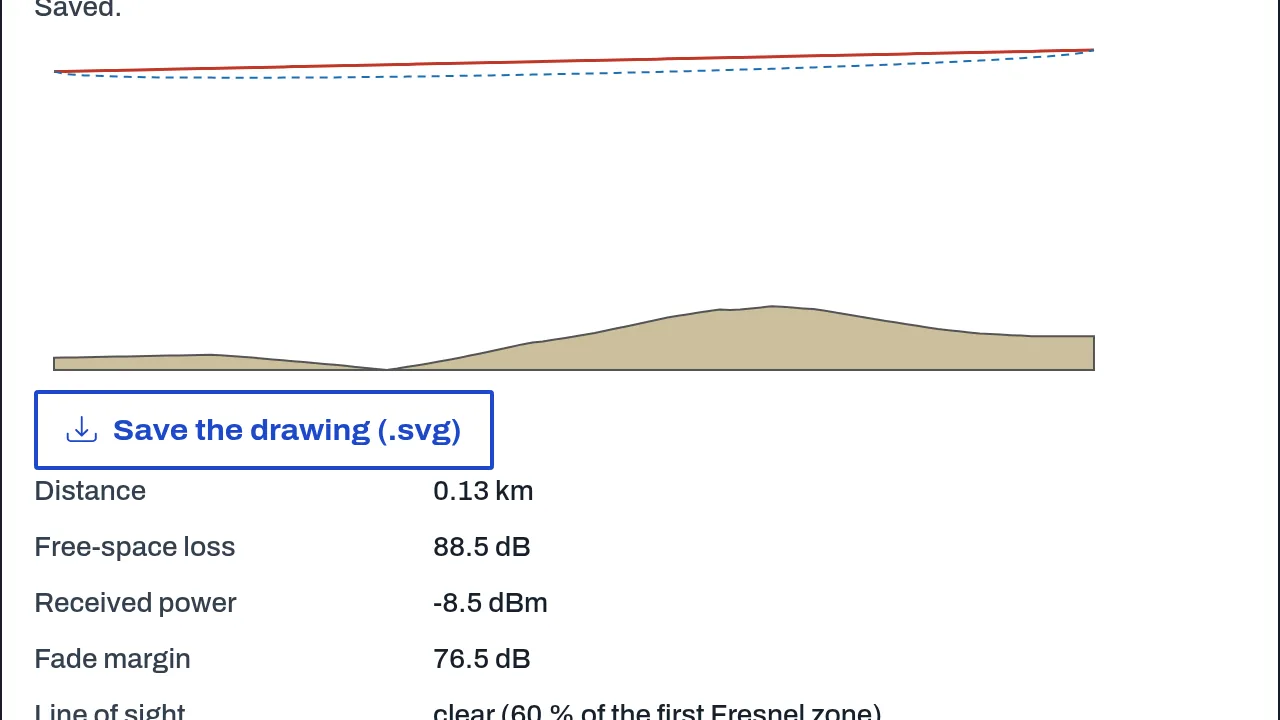
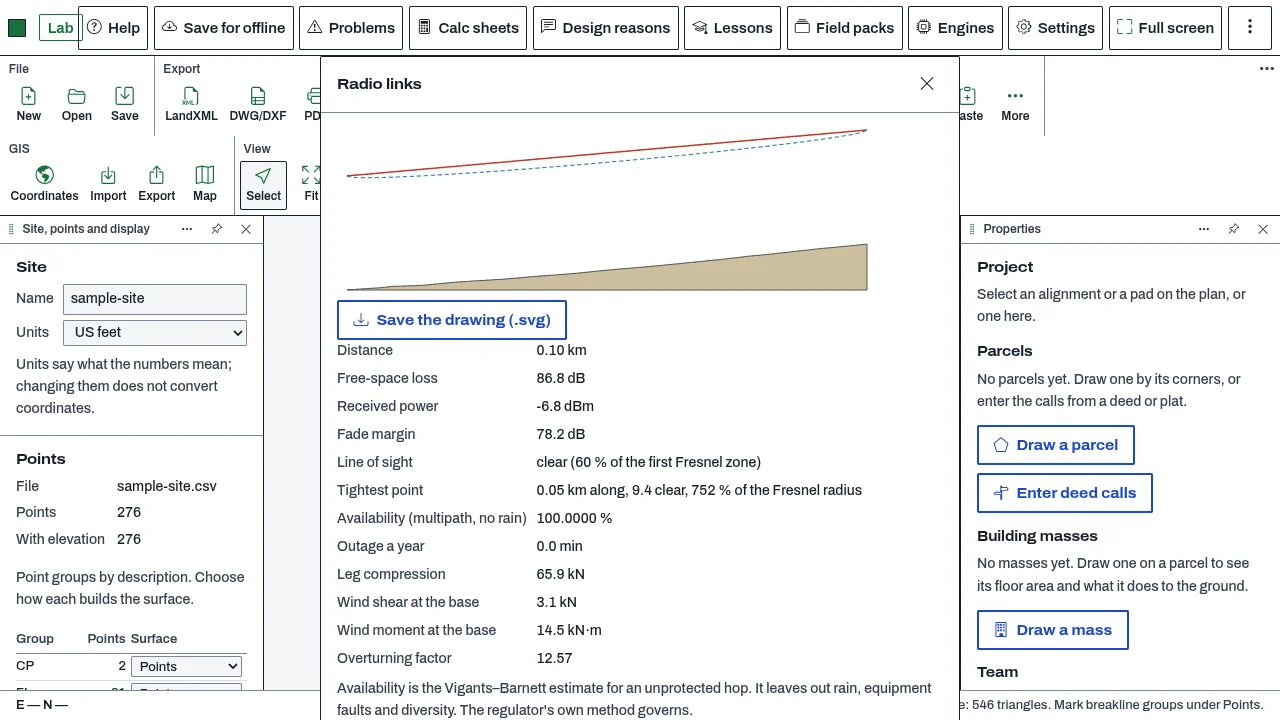
Telecom checks a radio link between two antennas over the existing ground. It works out the line of sight, the first Fresnel zone clearance, the free-space loss, the received power and the fade margin, and the mast height that would clear the path. It also checks the base of a tower for wind shear, wind moment and overturning. It is a planning aid for radio links and towers.
Who it’s for
- Radio and telecom engineers making a first check of a link between two sites.
- Telecom planners who need to know whether a path clears the terrain, and what mast height would clear it.
What you can do
- Check a link between two antennas over the project's ground (Surface, More, Radio links): the line of sight, the tightest point along the path, and the clearance against 60 % of the first Fresnel zone.
- Work out the link budget: transmit and receive power, gains, cable losses, free-space loss, received power and fade margin against the receiver's sensitivity.
- Estimate availability for an unprotected hop (the Vigants-Barnett estimate, for multipath only; rain is not included).
- Find the mast height at the first antenna that clears the path.
- Check a tower base for wind shear, wind moment and an overturning factor, when you give the tower face width, the solidity and the tower and footing weight.
Methods and standards
Free-space loss FSPL = 20 log10(d in km) + 20 log10(f in MHz) + 32.44 dB (ITU-R P.525). First Fresnel zone radius F1 = 17.32 times the square root of d1 times d2 over f times D, in metres (ITU-R P.526), with 60 % of F1 as the usual clearance. Earth bulge over the path with an effective earth radius factor k (4/3 by default; ITU-R P.834). Received power = transmit power + gains - cable losses - free-space loss - other losses. Tower wind pressure q = 0.5 times air density times V squared times the drag coefficient times the area, and the overturning moment is the sum of force times height.
Data and sources
Antenna powers, gains, receiver sensitivity, frequency, clutter and the antenna heights are inputs that you type. The ground comes from the project. The add-on ships no antenna or radio equipment data and no regulator's licence data.
Verification
Tested by bin/test-civilcraft-telecom.mjs against known answers worked by hand: free-space loss at 1 km and 1000 MHz (92.44 dB) and its 6 dB rise per doubling of distance, the Fresnel radius of a 10 km link at 5 GHz, the earth bulge at the middle of a 50 km path, a flat path that clears with 30 m masts, a 40 m hill that blocks it, the link budget, and a fibre loss example. Not yet checked against a reference link from a radio planning tool or against a measured link.
Limits
A planning aid. Antenna patterns, rain fade, multipath beyond the availability estimate, and the regulator's licence conditions are not modelled. A link or a tower is designed and signed by a competent engineer. The fibre loss budget and fibre route calculations are in the engine, but no window or assistant tool uses them yet.
Files and formats
A link is saved with the project's geo items. The add-on reads the project's ground surface. It does not import or export a radio planning file format.
Get started
- Open CivilCraft over a site that has a ground surface, then Surface, More, Radio links.
- Type the two antennas (position and height), the frequency, the powers, the gains and the receiver sensitivity.
- Read the line of sight, the clearance and the fade margin. If the path is blocked, use the mast height that clears it.
Languages
No languages are listed for this add-on yet. Its maker may add some.
Works in
| Edition | Works | Note |
|---|---|---|
| Browser (/use) (yours) | Added on demand | Fetched the first time you use it, then kept for offline use. |
| Studio from getcadcraft.com | Added on demand | Fetched the first time you use it, then kept for offline use. |
| Microsoft Store | Added on demand | Fetched the first time you use it, then kept for offline use. |
| Google Play | Added on demand | Fetched the first time you use it, then kept for offline use. |
| iPad and iPhone (App Store) | Included; switch it on | Part of the reviewed app; your list switches it on. |
| Custom build | Added on demand | Fetched the first time you use it, then kept for offline use. |
Comes with
Nothing else.
Needed by: RF, antenna and microwave engineering, Telecommunications and fiber networks.
Versions
| Version | Channel | Date | What changed |
|---|---|---|---|
| 1.0.0 | stable | October 28, 2026 | First version in the Library. |
Licence and maker
CadCraft (CadCraft, first-party). Licence: Apache-2.0. Dependencies carry their own licences, listed on their pages.