Feature
Acoustics
Room acoustics, sound insulation, noise maps, listening.
Use this add-on:
Overview
To be written (AL.3): what it does, in plain words.
Who it’s for
- Room acousticians, architects and AV designers: reverberation, clarity and speech intelligibility per seat, treatment drawings, and a listening demo for the client.
- Building acousticians: airborne and impact ratings between rooms, including flanking.
- Environmental noise consultants: noise maps, façade levels and barriers.
- HVAC engineers: duct-borne noise from the fan to the room.
What you can do
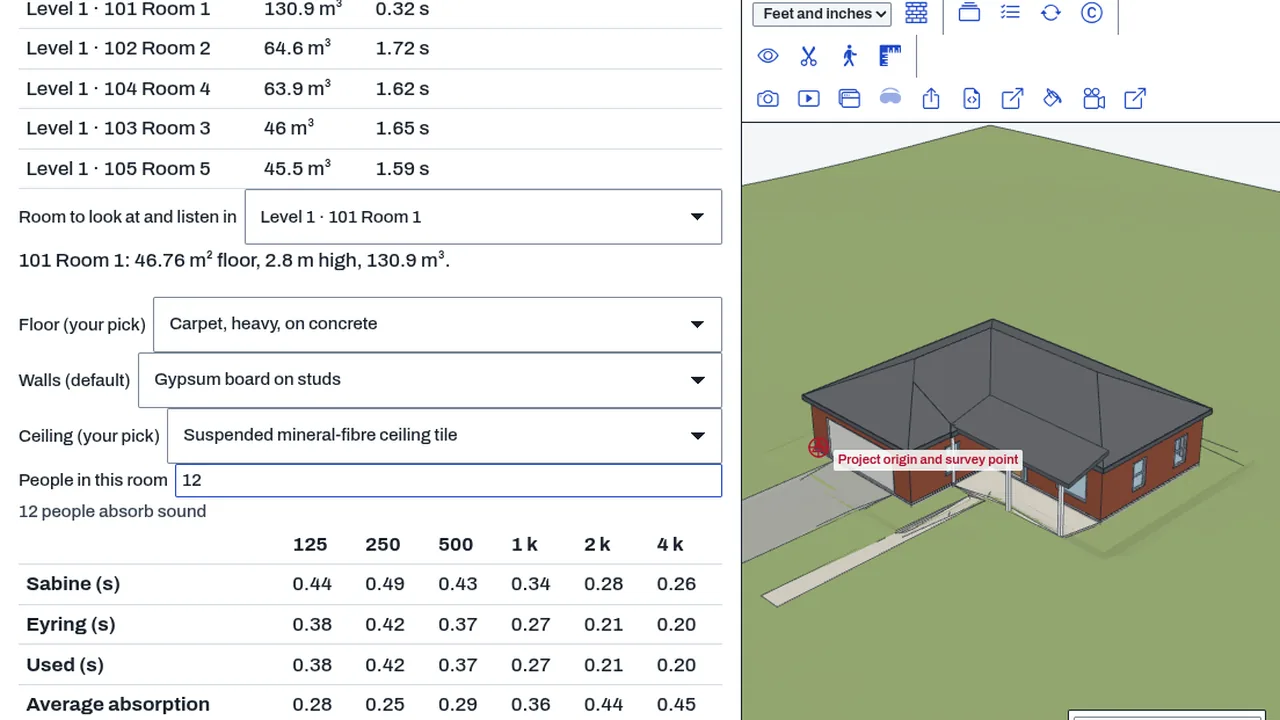
- Reverberation per octave band from the model's own finishes (BimCraft › Rooms › Acoustics).
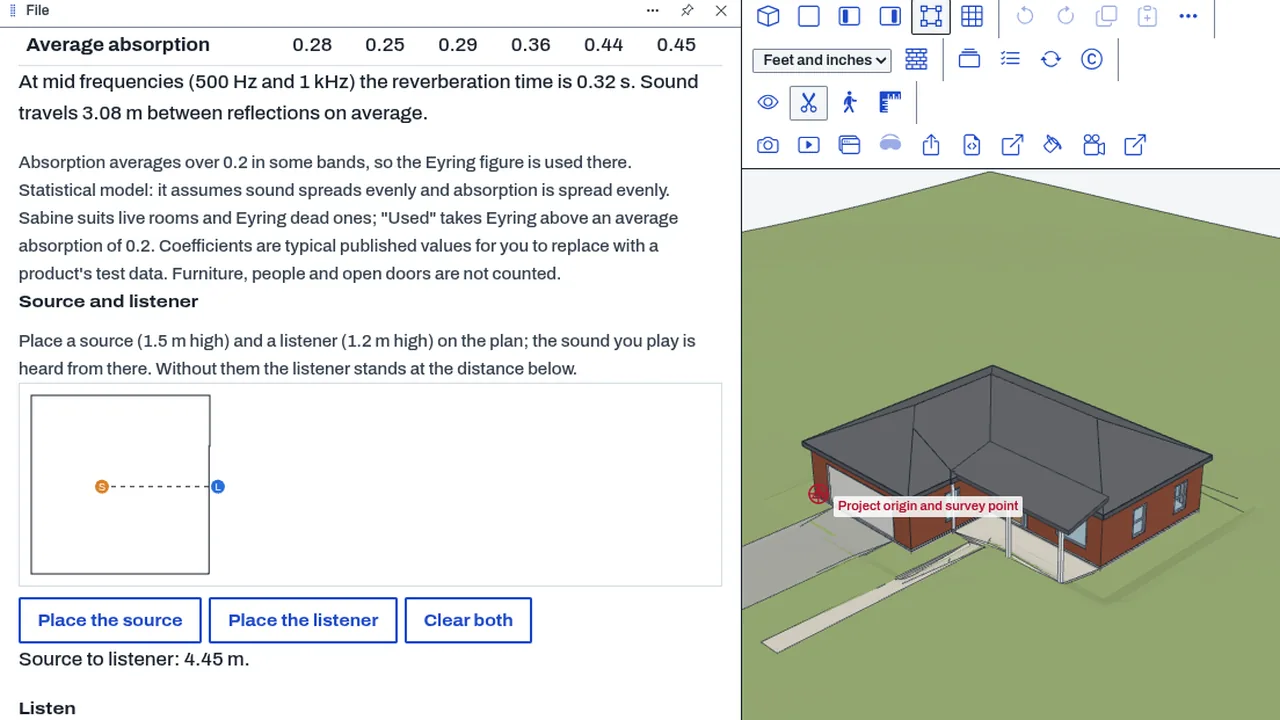
- Listen to a room before it is built: Play it dry, then Play it in this room.
- Seat maps of clarity and speech intelligibility (phase S2).
- Wall and floor ratings with flanking (phase S3).
- Noise maps on CivilCraft terrain (phase S4).
Methods and standards
Sabine, Eyring and Arau-Puchades for quick checks; image source and ray tracing for real rooms; finite-difference time domain below the Schroeder frequency; ISO 3382 room parameters and the IEC 60268-16 speech transmission index; ISO 12354 for flanking; CNOSSOS-EU and ISO 9613-2 outdoors. Standards are cited by clause.
Data and sources
Absorption and scattering coefficients by octave band from published test data, each cited; assembly ratings from lab reports. You can add your own materials.
Verification
Rooms are checked against the BRAS benchmark (measured rooms, open data) and outdoor propagation against the ISO/TR 17534-3 test cases. Today the statistical part matches its textbook figures (Sabine 1.44 s, Eyring 1.37 s on the test room) and the computed impulse response measures back within 10 %.
Limits
A design aid: results are predictions, not measurements. Below the Schroeder frequency the geometric methods are not used. Flanking needs junction details and says when it estimated them.
Files and formats
To be written (AL.3): what it reads and writes, and what it stores inside drawings.
Get started
- Add Acoustics.
- Open a BimCraft model and pick a room.
- Choose finishes, then press Play it in this room.
Languages
No languages are listed for this add-on yet. Its maker may add some.
Works in
| Edition | Works | Note |
|---|---|---|
| Browser (/use) (yours) | Added on demand | Fetched the first time you use it, then kept for offline use. |
| Studio from getcadcraft.com | Added on demand | Fetched the first time you use it, then kept for offline use. |
| Microsoft Store | Added on demand | Fetched the first time you use it, then kept for offline use. |
| Google Play | Added on demand | Fetched the first time you use it, then kept for offline use. |
| iPad and iPhone (App Store) | Included; switch it on | Part of the reviewed app; your list switches it on. |
| Custom build | Added on demand | Fetched the first time you use it, then kept for offline use. |
Comes with
- Sound engine 800 KB
Adding it brings these too. Engines are shared: each downloads once for every add-on that uses it.
Needed by: Acoustical engineering, Architecture.
Versions
| Version | Channel | Date | What changed |
|---|---|---|---|
| 1.0.0 | stable | October 28, 2026 | First version in the Library. |
Licence and maker
CadCraft (CadCraft, first-party). Licence: Apache-2.0. Dependencies carry their own licences, listed on their pages.