Feature
QuantScope
QuantScope: the engineering engine for CadCraft Studio. Write parts from physics: generators and data sheets.
Use this add-on:
Overview
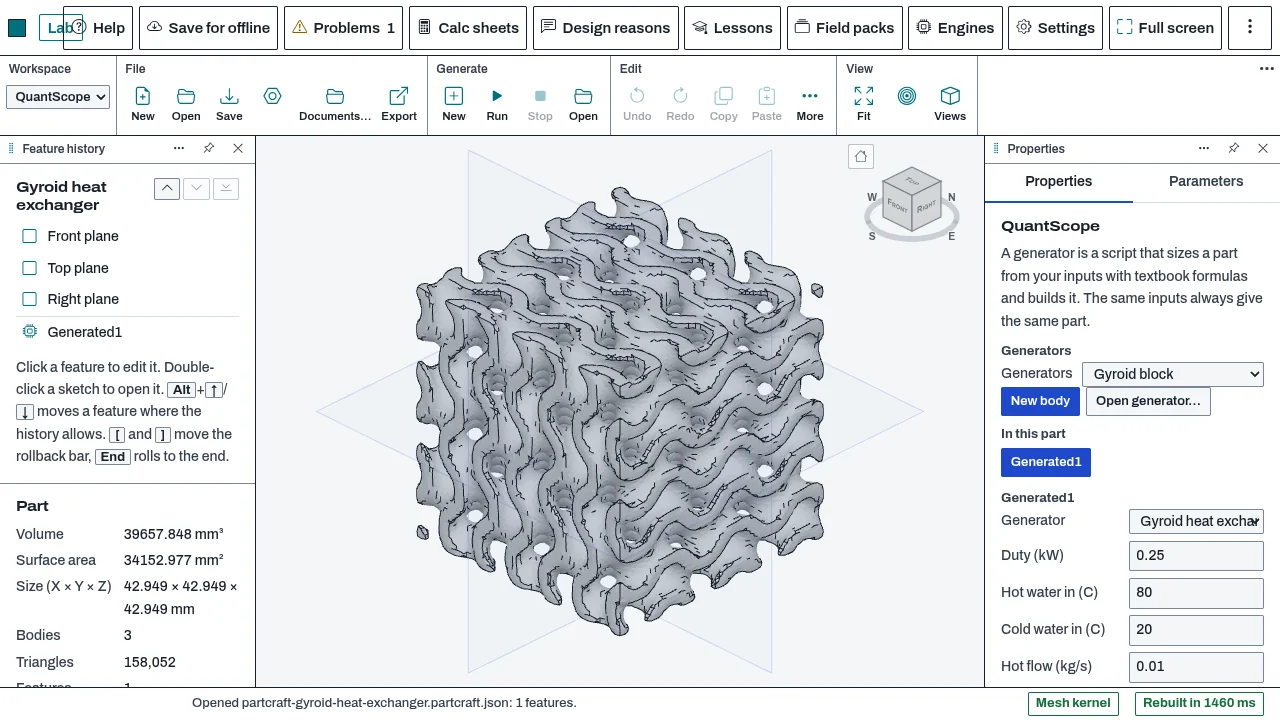
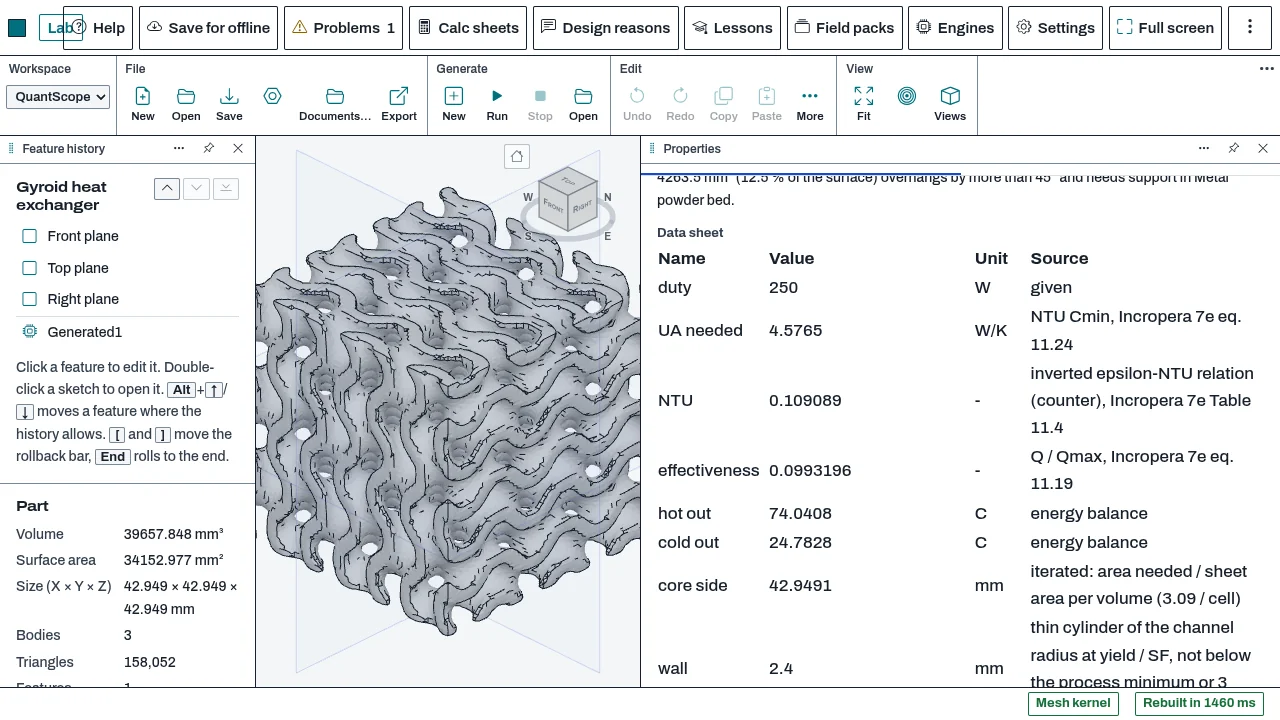
QuantScope, the engineering engine for CadCraft Studio, writes a part from physics and rules. A generator is a script with a few typed inputs, such as a heat duty and two flows for a heat exchanger. It sizes the part from textbook formulas, builds it as a body in the part, and leaves a data sheet with every number, its unit and its source, plus manufacturing checks for a printing process. The same inputs always give the same part. PartCraft is the first host. The module is written to mount in other hosts through a small adapter; SuperCad Studio has the adapter, and its own Engineer panel is not built yet.
Who it’s for
- Mechanical and manufacturing engineers who want a first-sized part from a few requirements, with the numbers shown.
- Designers who print parts and want the process checks before they print.
- Writers of generators who need a fixed set of inputs, a data sheet and checks to go with a script.
What you can do
- Pick a generator in the Engineer workspace and press New. The script runs and the body appears in the view. The generators that ship are listed under generators.ce.
- Change an input and the body is made again a moment after you stop typing. A run and an input change are each one undo step.
- Read the data sheet: every value with its unit and where it comes from. The sheet is saved in the part.
- Run the checks a generator asks for. Stress, thermal and flow checks use the host's solvers when the host has them; a host without a solver says so.
- Check the part against a printing process (FDM, SLA, SLS or metal powder bed) for walls and gaps that are too thin, trapped powder, loose pieces and overhangs. Findings appear in the panel and in Problems.
- Save the data sheet as JSON or PDF, and the field data as VTI, VTU or 3MF.
- Open a generator from a file with Open in the Engineer workspace.
Methods and standards
Each generator states its method in its header and in its data sheet. The shipped generators use: effectiveness-NTU with counterflow sizing for the heat exchanger core; continuity, the thin-wall cylinder and Darcy-Weisbach friction for the manifold; the 88-line SIMP topology code for the lattice beam; and triply periodic sheets (gyroid, Schwarz P, diamond) as signed-distance fields. The engineering library (craftlib/eng, 29 scripts) holds the formulas. All maths is textbook; the module was written without copying other products' code.
Data and sources
The generators and the engineering library ship with QuantScope. Each number in a data sheet carries its source: a textbook equation, a standard or a data sheet. Material temperature curves are not shipped, and the materials are at room temperature. You can add your own generators by opening a file. The export-control notice is at the foot of every data sheet.
Verification
tools/engineer-test/engineer.mjs: 55 passed, 0 failed (contract, copies, neutral keys, the notice). tools/field-test/: generators.mjs 46/0, eng.mjs 140/0, check.mjs 15/0 (a cantilever tip deflection within 3 % of the textbook value, a bar's heat flow within 2 %, a square duct's permeability within 4 %), volumes.mjs 25/0 (mesh volume within 0.6 % of the closed forms), watertight.mjs 81/0, determinism.mjs 19/0, and browser-engineer.mjs 17/0. Recorded in docs/0.8-sessions/engineer.md and engineer_PART_3.md. The sizing of the heat exchanger core is not yet checked against a built reference unit.
Limits
First estimates from textbook formulas, not a design approval. Run Simulation, Thermal or Flow on the result, and have an engineer check it. The heat exchanger is the core only: headers, ports and fittings are not modelled. A feature thinner than about three voxels can pinch, and a wall thicker than about a quarter of the cell closes the channels; a pinch is not repaired yet, and the body is then reported as not watertight. Manifold tee losses and the sharing of flow between outlets are not modelled. Printing-process figures are general guide values, not your machine's specification. Timings on the shared build server are not speed figures.
Files and formats
The Generated feature is kept in the PartCraft part file (part file version 6). Each generator's script is stored inside the part, so a file opens without the generator installed, and opening a part never runs a script. Generator scripts are .craft text files with an @generator and @input header. Data sheets are written as JSON or PDF; fields as VTI, VTU and 3MF.
Get started
- In PartCraft, switch to the Engineer workspace in the workspace switcher.
- Pick a generator in the list, for example Gyroid heat exchanger or Distribution manifold, and press New.
- Change an input, read the data sheet and the checks, then save the part.
Languages
No languages are listed for this add-on yet. Its maker may add some.
Works in
| Edition | Works | Note |
|---|---|---|
| Browser (/use) (yours) | Added on demand | Fetched the first time you use it, then kept for offline use. |
| Studio from getcadcraft.com | Added on demand | Fetched the first time you use it, then kept for offline use. |
| Microsoft Store | Added on demand | Fetched the first time you use it, then kept for offline use. |
| Google Play | Added on demand | Fetched the first time you use it, then kept for offline use. |
| iPad and iPhone (App Store) | Included; switch it on | Part of the reviewed app; your list switches it on. |
| Custom build | Added on demand | Fetched the first time you use it, then kept for offline use. |
Comes with
- Field kernel 1.2 MB
- QuantScope library 900 KB
Adding it brings these too. Engines are shared: each downloads once for every add-on that uses it.
Needed by: Additive manufacturing engineering, Aerospace (aircraft), Astronautics and space systems, Automotive and EV engineering, Autonomous systems and drones, Battery and electrochemical engineering, Biomechanical engineering (implants, prosthetics), Biomedical and medical device engineering, Building envelope and façade engineering, Forensic engineering (failure investigation), Fusion and plasma engineering, Manufacturing and production engineering (CAM, sheet metal), Materials science and engineering, Mechanical design (parts and assemblies), Naval architecture and marine engineering, NIST cryogenic material properties (304, 6061-T6, Ti-6Al-4V), Nuclear engineering, Optical and photonics engineering, QuantScope generators: exchanger, manifold, lattice beam, Quantum engineering, Robotics and mechatronics, Structural engineering, Tooling, mold and die design.
Versions
| Version | Channel | Date | What changed |
|---|---|---|---|
| 1.0.0 | stable | October 28, 2026 | First version in the Library. |
Licence and maker
CadCraft (CadCraft, first-party). Licence: Apache-2.0. Dependencies carry their own licences, listed on their pages.